

An SEO specialist at a growing company often switches between 5–7 tools every day. They export a CSV from Google Search Console, paste it into a spreadsheet, pull keyword data from Ahrefs, merge everything manually, and then write the analysis. A task that should lead to decisions can easily take 2–3 hours. With an MCP server connected to Claude, the same analysis can start with one natural-language prompt.


In this article, you’ll learn what an MCP server is, how it connects AI assistants to your SEO stack, which seven servers are worth considering, and how to choose the best MCP server for SEO based on your workflow, data sources, and automation needs.
These changes also connect to the broader rise of AI-driven search workflows, where teams use MCP, automation, and AI SEO services to move from manual reporting to faster, data-backed optimization.
- MCP, or Model Context Protocol, is an open standard by Anthropic that gives AI assistants like Claude direct access to external tools through a standardized connection layer.
- With an SEO server, you can replace manual CSV exports with natural-language queries. Claude calls the API directly and returns the answer.
- The best SEO MCP servers in 2026 include Ahrefs, Semrush, DataForSEO, Google Search Console, SE Ranking, a Screaming Frog wrapper, and Coupler.io.
- Most MCP servers take 15–30 minutes to connect, depending on authentication, API access, and documentation quality.
- For most SEO teams, the highest-value starting point is the free Google Search Console server.
- MCP does not replace SEO judgment. It removes the information wrangling that slows down the process.
What Is an MCP Server for SEO?
An MCP server is a standardized bridge between an AI assistant like Claude and your external tools. Instead of exporting data and pasting it into a chat window, the AI makes live API calls to your SEO platforms directly and returns the answer in plain English.
MCP — Model Context Protocol — is an open standard developed by Anthropic and published in November 2024. It solves what engineers call the M×N integration problem: before MCP, connecting M AI tools to N aggregators required M×N custom integrations. MCP collapses that equation by giving every AI client and every data source a single protocol to implement once.
The architecture has three components:
- MCP Host: The AI client you work in (Claude Desktop, ChatGPT, Cursor)
- MCP Client: The connector inside the host that manages communication
- MCP Server: The service you add, which translates AI requests into API calls to your tool
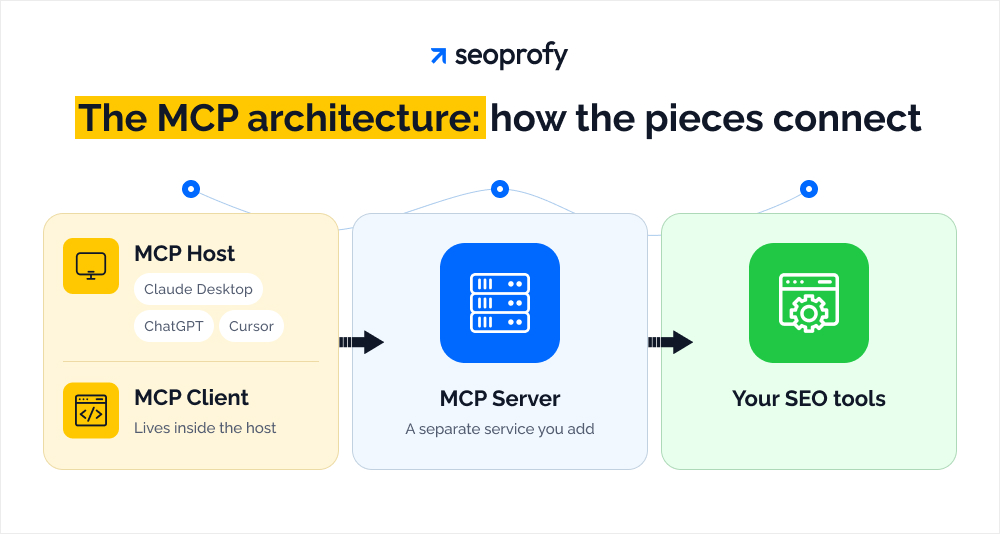
Think of it this way: the MCP server is the interpreter between your AI and your SEO data. Without it, Claude knows nothing about what’s inside your Ahrefs account or Search Console. With it, Claude queries that data the same way you would — except in seconds, at scale.
Without MCP: Export GSC data → clean the CSV → pull Ahrefs data → paste into a spreadsheet → write the analysis. Total time: 2–3 hours.
With MCP: One prompt. Claude calls both APIs, cross-references the information, and, returns a structured answer. Total time: under a minute.
How an SEO MCP Server Works — And Why SEO Teams Are Switching to It
MCP stands for Model Context Protocol. Anthropic introduced it as an open standard in November 2024. In simple terms, it lets AI assistants like Claude connect directly to external tools — Google Search Console, Ahrefs, Semrush — and pull live data through natural language queries.
No CSV exports. No copy-pasting between dashboards. No reformatting spreadsheets.
You ask a question. The AI gets the answer from your real data and returns it in plain English.
How an SEO MCP server works:
The process has six steps. Each one happens in the background.
- You type a prompt. Something like: “Which of my pages have high impressions but a CTR below 1%?”
- Claude identifies the relevant tool. It recognizes that this question requires Google Search Console data and selects the connected MCP server.
- The MCP server translates the request. It converts your natural language query into a structured API call the platform understands.
- The API call goes to the SEO platform. GSC receives the request and pulls the matching data — unsampled, untruncated, directly from the source.
- Data is returned to Claude. The raw results come back to the AI through the MCP connection.
- Claude synthesizes and responds. It processes the data and delivers a clear, readable answer — usually in under 10 seconds.
The whole flow is invisible. You see the result, not the machinery behind it.
Why SEO Teams Are Switching to MCP-Powered Workflows
The biggest time drain in SEO analysis isn’t the analysis itself. It’s moving data between tools.
Think about what a standard GSC + Ahrefs workflow looks like today. You log into Search Console, filter by date range, export a CSV — but only up to 1,000 rows, so you’re already missing most of your long-tail data. Then you pull backlink data from Ahrefs, paste everything into a spreadsheet, clean the columns, align the date ranges, write the analysis. That’s 2–3 hours of work before you’ve drawn a single conclusion.
With both MCP servers connected to Claude, the same analysis takes one prompt and a few minutes.
BCG research shows AI-powered workflows cut low-value work time by 25–40%. For SEO teams, that math lands almost entirely in the data-wrangling stage — the exports, the cleaning, the merging. MCP eliminates exactly that layer.
Here are four concrete benefits that explain the shift.
- Real-time data: Manual exports are a snapshot. When you upload a CSV, Claude doesn’t know the structure of your site — the MCP connection provides the API context Claude needs to understand how pages relate to one another. You’re working with live data, not last Tuesday’s report.
- Cross-platform analysis: Connecting multiple MCP servers means Claude can query GSC and Ahrefs in the same conversation. You can ask compound questions — comparing traffic trends, correlating impressions with backlink profiles — without ever leaving the chat window.
- Scale: The standard GSC interface exports up to 1,000 rows. For large sites, this misses 90% of long-tail keyword opportunities. MCP servers connect directly to the API, bypassing the interface limits entirely.
- Accessibility: The setup takes under two minutes with zero coding. The MCP server handles all the API connections, authentication, and data formatting behind the scenes. You don’t need to be technical to use it. Any member of an SEO team can ask the same questions a data analyst would.
MCP as the Infrastructure Layer for Agent-First SEO
MCP is changing what SEO tools are used for — not just faster analysis, but autonomous execution. This is especially relevant as more teams track visibility across an AI search engine, not just traditional Google rankings.
10,000+ MCP servers are available as of early 2026. The connectivity infrastructure is in place. Most SEO teams just haven’t operationalized it yet.
The teams that have are running agentic workflows, not just AI that answers questions, but AI that executes tasks. Rank monitoring, content audits, keyword gap analysis, brief generation. Research agents can continuously monitor search trends, competitor rankings, and SERP feature changes across thousands of terms without anyone manually kicking off the process.
This is the distinction that matters. Assisted AI helps you do your work faster. Agentic AI does parts of the work for you.
MCP is the infrastructure layer that makes the second model possible. It gives AI systems the live data access and tool connectivity they need to act — not just respond. 34% of enterprise marketing teams now run at least one autonomous agent in production, up from 14% in Q4 2025.
For teams building an internal process, the AI SEO playbook can help connect MCP workflows with broader AI search optimization, reporting, and content strategy.
How We Evaluated the Best SEO MCP Servers
The servers below were selected based on six criteria: SEO data quality and coverage; available integrations; supported use cases; ease of setup; compatibility with major AI assistants (Claude, ChatGPT, Gemini, and Cursor); and pricing. Both official vendor-built machines and high-quality community servers are included. Setup complexity is rated 1–3 (1 = one-click OAuth, 3 = technical setup required).
We also considered how each server fits into modern AI-assisted workflows, including reporting, technical audits, keyword research, and use cases covered in our guide to the best AI tools for SEO tasks.
The 7 Best MCP Servers for SEO in 2026
The best SEO MCP servers for SEO in 2026 are Ahrefs, Semrush, DataForSEO, Google Search Console (MCP-GSC), SE Ranking, Screaming Frog, and Coupler.io — each covering a different part of the SEO workflow. The right starting point depends on which data gaps cost your team the most time.
1. Ahrefs MCP Server
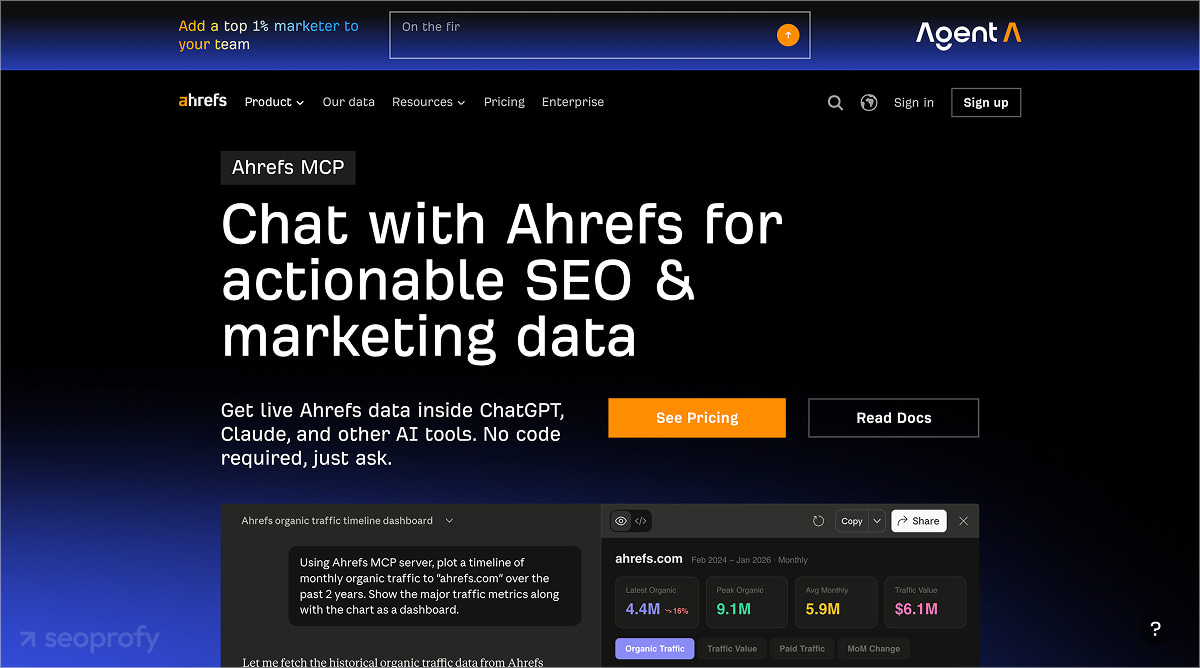
Ahrefs’ official remote MCP server connects Claude and other AI assistants to live Ahrefs data — keyword difficulty, backlink profiles, competitor organic keywords, and traffic history — with no local installation required.
One important nuance: the original local MCP server (API v3, GitHub) is no longer maintained. Ahrefs switched entirely to the remote server, which works with any paid plan starting from Lite. API integration units available per month scale with your subscription tier.
Key capabilities:
- Keyword research: search volume, difficulty, traffic potential, and keyword ideas,
- Backlink analysis: referring domains, DR scores, anchor text distribution. For teams that rely heavily on link intelligence, MCP workflows can also support recurring checks usually handled through backlink monitoring tools.
- Competitor keyword gap: keywords where a competitor ranks on page 1 but you don’t appear.
- Organic traffic history: for trend analysis and content validation.
Best for: SEO teams doing competitive research and link building at scale.
Sample prompt
“Show me all keywords where [competitor domain] ranks in positions 1–10 that my domain doesn’t rank for, filtered to KD under 30 and volume over 500 in the US.”
Claude returns a structured table with keyword, difficulty, volume, and competitor URL — a 20-minute manual task done in seconds.
2. Semrush MCP Server
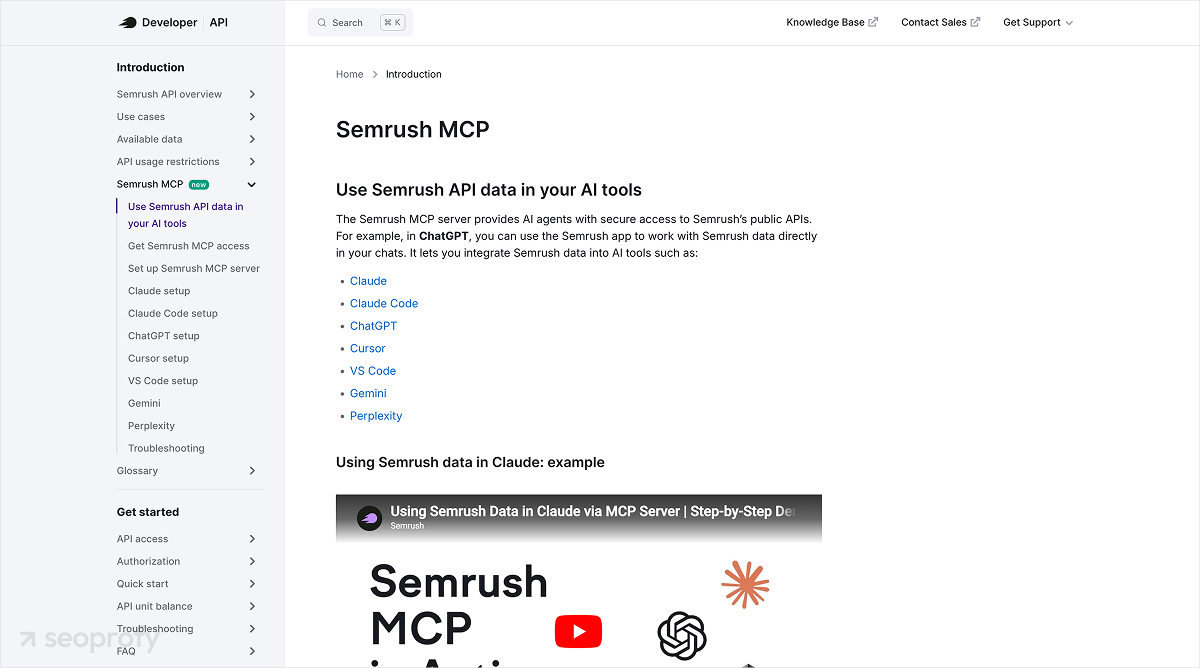
Semrush’s official MCP server gives Claude access to Semrush’s keyword database, domain analytics, and competitive intelligence. It’s available as a native app inside Claude, and as a built-in connector for ChatGPT Plus, Pro, and Business — among the most broadly supported integrations on this list.
Access requires a paid Semrush subscription with a Standard API package (50,000 API units per month included). The API credits model has a practical implication: broad prompts burn through units faster than specific, targeted queries. Precise prompts pay off here.
Key capabilities:
- Keyword clustering and page-2 opportunity identification
- Domain organic research: top keywords, traffic trends, competitive positioning
- Backlink profile and referring domain analysis
- Featured snippet gap identification
Best for: Keyword research-heavy teams and competitive SEO.
Sample prompt
“Find all keywords where my site ranks in positions 8–15 in the US, group them by topic cluster, and flag which ones have a featured snippet a competitor is currently winning.”
3. DataForSEO MCP Server
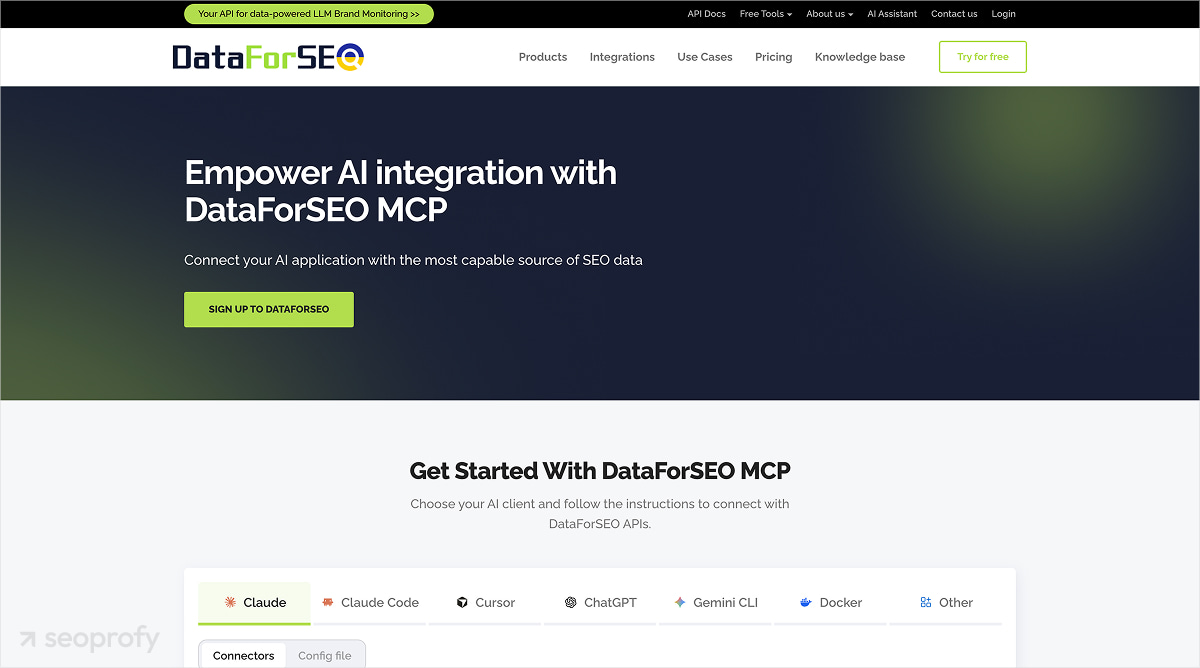
DataForSEO’s official MCP server is the broadest data source on this list — covering live SERP information from Google, Bing, Yahoo, and Baidu, plus keyword volume, backlinks, on-page audit, and domain analytics through a single connection. DataForSEO’s API powers over 750 SEO software companies, which signals both data quality and infrastructure reliability.
The pricing model is pay-per-call. For agencies running analysis across multiple clients, this means monitoring usage carefully — but you only pay for what you use.
Key capabilities:
- Live SERP data across four search engines and 170+ countries
- Keyword volume, difficulty, and CPC statistics
- Backlink analysis with referring domain metrics
- On-page crawl information and domain analytics
Best for: Agencies running multi-client SERP analysis at scale.
Sample prompt
“Get live SEO data for [target keyword] in the US; listing the top 10 ranking URLs with estimated organic traffic and referring domain counts.”
4. Google Search Console MCP Server (MCP-GSC)
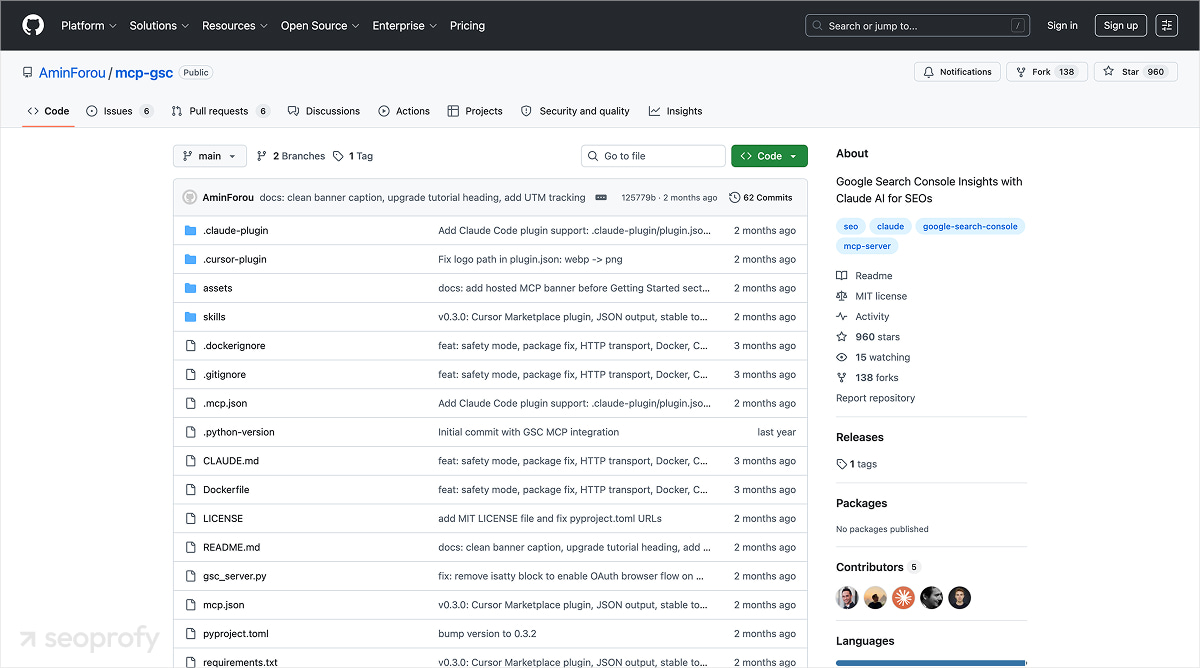
The mcp-gsc server, built by developer Amin Foroutan and available on GitHub with 500+ stars, connects Claude directly to Google Search Console — impressions, clicks, CTR, positions, URL inspection, and sitemap management — for free.
The server is open-source (MIT license). A paid hosted version has appeared at $12/month for one-click Google sign-in without Python setup, but the core open-source version remains free.
Three sample prompts showing the range:
- “Show me all pages with over 500 impressions in the last 30 days but CTR below 1%, sorted by impressions.”
- “Which pages gained the most position improvement in the past 90 days compared to the prior period?”
- “List all URLs in my sitemap marked as ‘Discovered — currently not indexed’, ranked by impression volume.”
The third prompt is particularly useful for technical SEO: GSC’s web interface limits URL inspection to one URL at a time. Querying through Claude removes that constraint entirely.
Best for: Any SEO practitioner — the highest-value free starting point on this list.
5. SE Ranking MCP Server
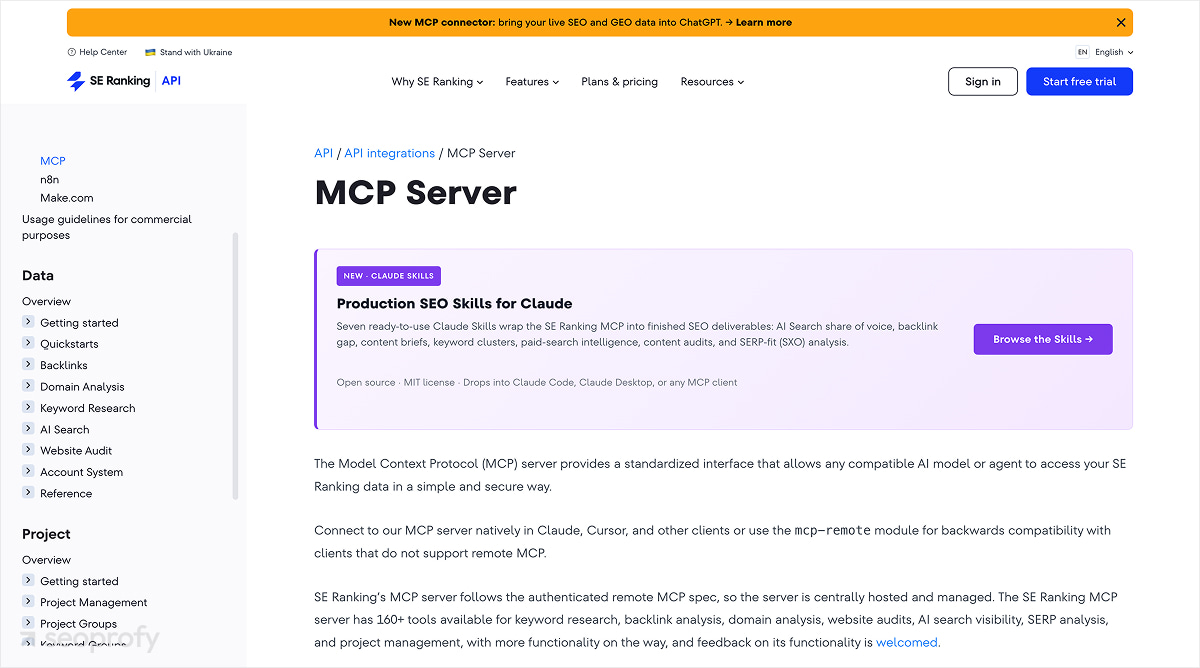
SE Ranking’s official remote MCP server is the only one on this list that gives Claude access to AI search visibility data — brand Share of Voice in ChatGPT, Perplexity, Google AI Overviews, and Google AI Mode — alongside traditional rank tracking, backlinks, and site audit.
Share of Voice in AI answers is a GEO (Generative Engine Optimization) metric: it measures how often your brand is cited when AI platforms respond to queries in your category, compared to competitors. As AI search handles more discovery intent, this metric matters alongside traditional keyword rankings. Research shows that content cited by AI assistants is 26% fresher than traditional SERP results — recency of content is a factor in how often you appear in AI answers.
Teams that want deeper visibility into generative search can pair this workflow with dedicated AI search monitoring tools to track citations, competitor visibility, and topic-level share of voice over time.
SE Ranking connects via OAuth 2.1 (no local installation, no terminal), available on all paid plans from Core onward. The server exposes 160+ tools and includes seven pre-built Claude Skills for common SEO workflows.
Best for: Teams investing in GEO strategy; agencies that need AI visibility reporting for clients.
Sample prompt
“Show my brand’s share of voice in ChatGPT and Google AI overviews for the topic [your topic] versus [competitor 1] and [competitor 2] over the last 30 days.”
This returns a comparative breakdown of citation frequency by AI platform — data that wasn’t available through any SEO tool before 2025.
6. Screaming Frog MCP Integration
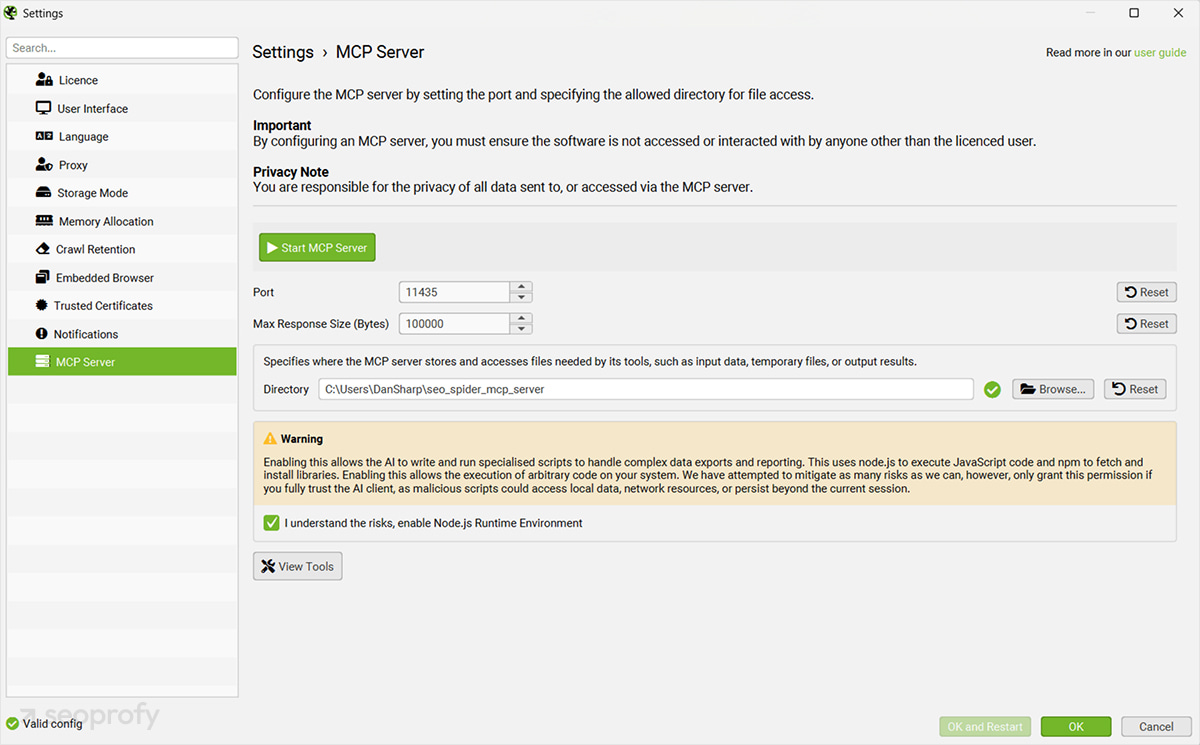
Screaming Frog SEO Spider MCP is best for technical SEO teams that want to analyze crawl data inside AI-assisted workflows. Since version 24.0, Screaming Frog supports MCP, so users can run crawls, analyze issues, export files, and create visualizations through Claude, LM Studio, and other compatible AI assistants.
There are two practical ways to use it. The simpler option is to run a crawl, export the files, and let Claude analyze response codes, indexability, metadata, canonicals, redirects, internal links, and Core Web Vitals data. The advanced option is to configure Screaming Frog MCP for on-demand crawls, issue summaries, exports, dataset combinations, and visual analysis.
This setup is best for technical SEO specialists and agencies that run regular audits. It is more demanding than most MCP options because it requires SEO Spider configuration, crawl settings, and a stronger technical understanding of crawl content.
Best for: technical SEO specialists, enterprise SEO teams, and agencies that run regular crawl audits across large or complex websites.
Sample prompt:
“Using Screaming Frog SEO Spider MCP and Google Search Console MCP, find all pages with a 3xx redirect chain longer than two hops and flag any that receive organic impressions in GSC. Return the affected URL, redirect chain, final destination, impressions, clicks, and recommended fix.”
7. Coupler.io MCP Server
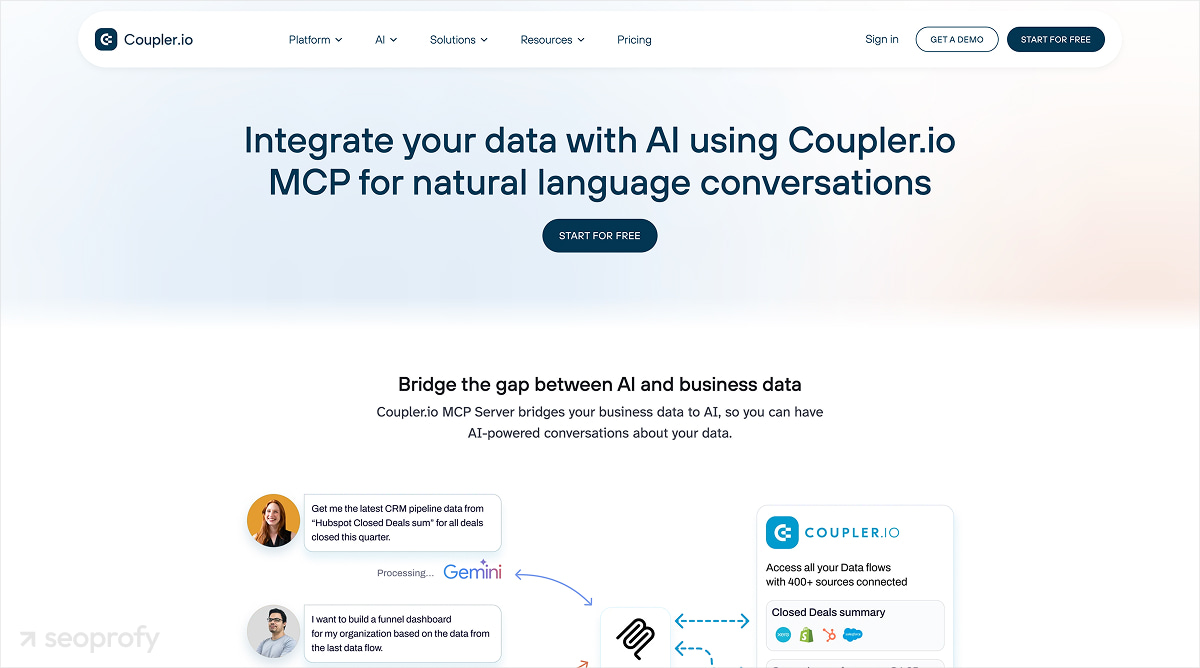
Coupler.io connects over 400 apps — including Google Search Console, GA4, Google Ads, and HubSpot — into a queryable SQLite database accessible through MCP. It’s the easiest option for teams who want cross-platform SEO queries without writing code or managing multiple API keys.
The key architectural point: you set up information flows inside Coupler.io, and the MCP server exposes preprocessed data as queryable databases. Claude queries already-synced records rather than making live API calls on each prompt — useful for teams with high query volumes.
Best for: Marketing teams without engineering resources; anyone who needs a no-code path to cross-platform analysis.
Sample prompt
“Combine my GSC data and GA4 session statistics for the past 90 days. Show me which pages have organic clicks but zero conversion events — ranked by click volume.”
This cross-platform query would normally require exporting both datasets and joining them in a spreadsheet. Particularly useful for e-commerce and SaaS teams connecting organic traffic to revenue impact.
How to Compare SEO MCP Servers: A Decision Framework
The five criteria that should drive your choice:
- Data type coverage: Keyword data, backlinks, SERP intelligence, technical crawl, or cross-platform reporting? Start with the data gap that costs your team the most time.
- Official vs. community-built: Official servers (Ahrefs, Semrush, DataForSEO, SE Ranking) are maintained by the vendor. Community servers (mcp-gsc) are often more feature-rich early but carry maintenance risk if the maintainer moves on.
- Connection method: Remote MCP servers for SEO (Semrush, SE Ranking, Coupler.io) connect via OAuth in minutes. Local systems (mcp-gsc, Screaming Frog wrapper) require local setup but give you more control.
- Cost model: Free (mcp-gsc), subscription-included (Ahrefs any paid plan, SE Ranking Core+), subscription + API package (Semrush), or pay-per-call (DataForSEO).
- Setup complexity: From one-click OAuth to a Python environment plus API credentials. Be honest about your team’s technical capacity.
| MCP Server | Official | Cost model | Connection type | Complexity (1–3) | Best for |
| Ahrefs | Yes | Subscription (any paid plan) | Remote | 1 | Competitive research, link building |
| Semrush | Yes | Subscription + API package | Remote | 1 | Keyword research, competitive SEO |
| DataForSEO | Yes | Pay-per-call | Remote or local | 2 | Agency-scale SERP and keyword data |
| GSC (mcp-gsc) | Community | Free (hosted $12/mo) | Local | 2 | GSC analysis, technical indexing |
| SE Ranking | Yes | Subscription (Core+) | Remote | 1 | Rank tracking, AI visibility/GEO |
| Screaming Frog | Yes (v24+) | Paid license required | Local | 3 | Technical crawl audits |
| Coupler.io | Yes | Subscription | Remote | 1 | Cross-platform reporting, no-code |
Where to start based on your profile:
- Solo practitioner or small team: mcp-gsc (free) first, then add Ahrefs or Semrush based on your existing subscription.
- Agency running multi-client audits: DataForSEO for SERP data at scale, mcp-gsc for indexing analysis, Screaming Frog for technical audits.
- In-house team investing in AI search: SE Ranking for GEO visibility tracking plus mcp-gsc for traditional GSC workflows.
- Non-technical marketing team: Coupler.io gives cross-platform queries without managing multiple API connections.
SEO MCP Use Cases: Real Workflows with Prompts
The highest-value SEO use cases for MCP servers are technical audits at scale, competitive gap analysis, keyword clustering, content optimization, and AI search visibility monitoring. Each of these workflows can compress a multi-hour SEO task into a single prompt.
These workflows require at least one MCP server connected to Claude Desktop or another MCP-compatible client. Each example below shows which server to use and how the workflow works in practice.
Technical SEO Audit at Scale
With the Google Search Console MCP server connected, you can batch-check large groups of URLs for indexing status, crawl issues, and performance signals without opening the GSC interface or running manual inspections one URL at a time. Google Search Console’s URL Inspection tool is built around checking a specific page, while an MCP workflow lets Claude work through URL groups programmatically through the connected server.
The workflow is simple: connect mcp-gsc, ask Claude to pull pages that receive impressions but are marked as “Discovered — currently not indexed,” and request a ranked list sorted by impression volume. This helps you prioritize indexing problems based on business impact instead of reviewing URLs randomly.
Sample prompt:
“Using Google Search Console MCP, find all URLs from the last 30 days that have impressions but are marked as ‘Discovered — currently not indexed.’ Sort them by impressions in descending order and return the top 50 URLs with indexing status, last crawl date, detected issue, and recommended next action.”
Claude should return a structured list of affected URLs, their indexing status, last crawl data if available, the issue detected in GSC, and a recommended action. For example, it may flag pages that need stronger internal links, sitemap inclusion, content improvements, or technical validation.
Competitive Keyword Gap Analysis
With the Ahrefs MCP server, Claude can identify keywords where a competitor ranks on page 1 but your domain does not appear at all. Then it can filter the list by keyword difficulty, search volume, and business relevance so the output focuses on opportunities worth pursuing.
This workflow is closely related to SEO competitor analysis, but MCP makes the process faster by letting Claude compare ranking gaps, difficulty, and competitor URLs in one query.
Sample prompt:
“Using Ahrefs MCP, compare [my domain] with [competitor domain]. Find keywords where the competitor ranks in positions 1–10 and my domain does not rank in the top 100. Filter for keywords with search volume above 300 and keyword difficulty below 40. Return a table with keyword, search volume, keyword difficulty, competitor URL, search intent, and recommended content type.”
The output should look like a prioritized keyword gap table. Instead of only showing missing keywords, Claude can group them by intent, identify whether the gap requires a blog post, landing page, comparison page, or glossary page, and highlight which opportunities are easiest to win first.
Keyword Research and Intent Clustering
DataForSEO or Semrush MCP servers can replace a workflow that usually requires keyword export, spreadsheet filtering, and manual intent tagging. Claude can pull a raw keyword list, apply volume and difficulty thresholds, remove irrelevant terms, and cluster the remaining keywords by search intent in one conversation.
Sample prompt:
“Using Semrush MCP, pull keyword ideas for the topic [topic]. Keep only keywords with monthly search volume above 100 and keyword difficulty below 50. Cluster them by search intent: informational, commercial, transactional, and navigational. For each cluster, suggest the best page type, primary keyword, secondary keywords, and content angle.”
Claude should return grouped keyword clusters instead of a flat keyword list. A typical output may include informational clusters for guide-style content, commercial clusters for comparison or solution pages, and transactional clusters for service or product landing pages. This makes the keyword research immediately usable for content planning.
AI Search Visibility Monitoring
SE Ranking’s MCP server can give Claude access to your brand’s visibility across AI search surfaces, including ChatGPT, Perplexity, and Google AI Overviews. This means you can ask how often your brand is cited in AI-generated answers for a given topic and compare that visibility against competitors.
Sample prompt:
“Using SE Ranking MCP, show my brand’s Share of Voice in ChatGPT and Google AI Overviews for the topic [your topic] versus [competitor 1] and [competitor 2] over the last 30 days. Include citation frequency, cited URLs, competitor comparison, and topic areas where we are missing visibility.”
The SEO data helps you understand whether your brand appears in AI answers, which pages are being cited, and which competitors are more visible across generative search results. For a GEO strategy, this matters because rankings alone no longer show the full visibility picture.
A page may rank well in classic search but still be absent from AI-generated answers, while a competitor may be cited more often because their content is clearer, better structured, or more authoritative for the topic. If Google AI Overviews are part of your acquisition strategy, this data can also support the optimization process described in our guide on how to rank in AI Overviews.
Content Gap Identification
By combining Google Search Console data with Semrush or Ahrefs keyword data, Claude can identify relevant search queries your content does not cover yet. GSC shows which queries your pages already receive impressions for, while Semrush or Ahrefs can show the broader topic cluster. Together, these sources help separate update opportunities from gaps that require new content.
Sample prompt:
“Using Google Search Console MCP and Ahrefs MCP, analyze the page [URL]. Compare the queries this page already ranks for with the broader keyword cluster around [topic]. Identify relevant missing queries, group them by intent, and recommend whether each gap should be handled by updating the current page or creating a new page.”
Claude should return a list of missing keywords or subtopics, grouped by intent and mapped to the right action. Some gaps may belong inside the existing page as new sections, FAQs, examples, or comparison blocks. Others may be too broad or too different in intent and should become separate pages.
This workflow is especially useful for content refreshes. Instead of updating a page based on guesswork, SEO teams can use live performance data and external keyword data to decide exactly what to expand, what to rewrite, and where new content is needed.
Limitations and Risks to Know Before You Start
SEO MCP servers have five real limitations. None are dealbreakers, but each has a mitigation worth knowing.
- API costs at scale: Pay-per-call APIs (DataForSEO, Semrush Standard API) burn credits on broad prompts. Write targeted, specific queries. Test prompts in low-volume periods before running them across a full client list.
- AI hallucination: Claude can misread a metric or apply the wrong date range. Cross-check outputs against the source platform for any decision that matters. Treat MCP-generated analysis as a first pass, not a final source.
- Data privacy for agencies: Client data routed through vendor MCP infrastructure operates under that vendor’s data handling policies. For clients in regulated sectors (legal, healthcare, financial), review each vendor’s DPA before connecting client accounts. Community servers like MCP-GSC run locally — client SEO data doesn’t pass through third-party infrastructure.
- Limited tool coverage: Several rank trackers and crawl tools still have no MCP integration. The gap is closing fast, but check before assuming your existing stack is covered.
- Learning curve: Even no-code remote MCP servers require a setup session and prompt practice. Budget 30–60 minutes per server for initial testing.
Where SEO MCP is Heading
MCP servers are the foundation for the next phase of SEO automation — where AI doesn’t just answer questions but continuously monitors rankings, flags technical issues, detects content decay, and generates performance reports without a manual prompt triggering each task.
This direction also aligns with broader enterprise SEO trends, where large teams are moving toward connected data systems, automated monitoring, and AI-assisted decision-making.
The current state: most teams use MCP for single-turn queries. The next stage is multi-step agents: a Claude workflow that runs a weekly competitive analysis, compares it to the prior week, flags significant movements, and drafts a brief for the content team. That’s already technically possible with the MCP servers on this list.
What’s still maturing is the prompt engineering and quality controls that make outputs reliable enough to act on without manual review. For teams thinking about what to optimize for next, Google’s official AI optimization guidance is the starting reference — it clarifies what actually influences AI-generated results and what doesn’t.
At SeoProfy, integrating AI tooling — including MCP-connected workflows — into standard SEO practice is already part of how we approach campaigns requiring fast competitive analysis and regular reporting at scale. The teams that invest in this infrastructure now will be ahead when agent-first SEO becomes the norm.
Frequently Asked Questions
What Is the Best Free MCP Server for Seo?
The mcp-gsc server (Google Search Console MCP by AminForou) is the best free option. It connects Claude directly to your GSC data — impressions, clicks, CTR, positions, URL inspection, and sitemap management — at no cost. It’s open-source, actively maintained, with 500+ GitHub stars. A hosted version is available at $12/month for users who prefer one-click setup.
Do I Need to Know How to Code to Use an SEO MCP Server?
You do not need to be a developer to use most SEO MCP servers, especially hosted or well-documented options. However, some setup steps may require basic technical comfort, such as adding configuration files, connecting API keys, or authorizing access. Once connected, the actual workflow happens through natural-language prompts.
Is the Ahrefs MCP Server Official?
Yes, Ahrefs provides an official hosted MCP server for users on eligible plans. This is different from older local or community setups that may require API keys and manual configuration. If you use Ahrefs MCP, start with the current Ahrefs documentation to avoid outdated repositories or unsupported installation methods.
Which AI Assistants Work with SEO MCP Servers?
SEO MCP servers work with MCP-compatible AI clients. Claude Desktop is the most common option because MCP was developed by Anthropic and is deeply integrated into Claude workflows. Other AI applications, including ChatGPT and developer-focused clients, are also adding MCP support, but compatibility depends on each platform’s current implementation.
Are SEO MCP Servers Safe to Use with Client Data?
SEO MCP servers can be safe for client data when they are configured carefully, but they should not be treated as risk-free. Use trusted servers, limit permissions, review what data each server can access, and avoid exposing sensitive client information to unverified tools. Agencies should also follow client NDAs and internal security policies.
Best SEO MCP Server: Final Recommendations
The seven MCP servers covered here address different parts of the SEO workflow. There’s no single best choice — the right answer depends on where your team spends the most time.
For most teams, the sequence is:
- Start with mcp-gsc: free, connects to data you’re already using, immediate value for indexing analysis and search performance queries.
- Add your primary keyword tool: Ahrefs or Semrush depending on your existing subscription — both connect in under 15 minutes.
- Layer in specialty coverage: SE Ranking for AI search visibility, the Screaming Frog wrapper for technical audits, DataForSEO for agency-scale SERP data, or Coupler.io for no-code cross-platform reporting.
The best SEO MCP server isn’t the one with the most features — it’s the one that removes the data step you repeat most often. Start there, prove the value, then expand the stack.

Julia Lubianytska is a Copywriting Team Lead at SeoProfy with over 7 years of experience in copywriting and editing. She works closely with copywriting teams, helping writers craft clear and thoughtful content for SaaS products, IT services, and businesses in the legal and medical fields. Julia enjoys turning complex topics into easy-to-understand, trustworthy content, focusing on structure, clarity, and consistency to ensure the content is genuinely helpful for real people, not just search engines.