

An SEO Chrome extension is a browser add-on that surfaces SEO data, on-page signals, and competitive insights directly in Chrome, without opening a separate tool or switching tabs.


Most SEO work already happens in the browser. Keyword research, competitor checks, link audits, on-page reviews — Chrome is where it starts. The right extensions significantly reduce the time spent on daily SEO tasks. The wrong ones add clutter and slow everything down.
This guide covers the best SEO extensions for Chrome in 2026, selected based on actual workflow value. You’ll find tools for keyword research, on-page SEO analysis, technical SEO, link building, and competitive analysis. Each has a full breakdown of features, pricing, pros and cons, and a clear recommendation for who it fits. The final section covers how to build an extension stack that doesn’t kill your browser performance.
- LinkChecker.Pro is one of the few extensions that combines link audits, on-page checks, and redirect analysis in a single panel.
- The best SEO Chrome extensions work better in targeted stacks — running more than 5–7 active at once slows Chrome down noticeably.
- Free tiers of Ahrefs SEO Toolbar, MozBar, and Detailed SEO Extension cover most daily audit needs without a paid subscription.
- Keywords Everywhere and Keyword Surfer handle the best SEO toolbar for Chrome keyword workflows at low or no cost.
- No extension replaces full platforms for rank tracking, site crawls, or deep backlink analysis.
How We Selected These Extensions
We tested each extension on real client sites across different niches — from ecommerce to SaaS to local businesses. The goal was to see how they perform under actual working conditions, not just on a clean demo page.
Six criteria shaped the final list:
- Platform coverage: Does it work across Google Search, third-party sites, and CMS environments, or only in specific contexts?
- Data accuracy: We cross-checked key SEO metrics against primary tools like Ahrefs and Semrush to flag anything that regularly pulls misleading numbers.
- Free tier value: A free plan that requires a paid parent subscription was noted and scored accordingly.
- Ease of use: How fast can a new team member get useful data out of it without reading documentation?
- Browser performance impact: We monitored Chrome memory usage with multiple extensions active simultaneously.
- Integration with full SEO tools: Extensions that connect to platforms you already use score higher than standalone tools with no ecosystem.
Only extensions that passed on at least four of the six criteria made the final list.
Best SEO Chrome Extensions at a Glance
Use this table as a quick reference before diving into the full reviews. Ratings are pulled from the Chrome Web Store.
| Extension | Category | Free/Paid | Best For | CWS Rating |
| Link Checker Pro | On-Page & Link building | Free / Paid | Link audits and redirect checks | 5.0 |
| Ahrefs SEO Toolbar | On-Page & Technical | Free (Ahrefs account for metrics) | SERP + on-page data | 4.3 |
| MozBar | On-Page & Technical | Free / Paid | DA/PA checks and link analysis | 3.3 |
| Detailed SEO Extension | On-Page & Technical | Free | Fast on-page diagnostics | 4.9 |
| SEOquake | On-Page & Technical | Free | SERP overlays and page audits | 4.5 |
| Keywords Everywhere | Keyword Research | Free / Paid (credits) | Search volume in SERPs | 4.5 |
| Keyword Surfer | Keyword Research | Free | SERP keyword data for content writers | 4.3 |
| Hunter.io | Link building | Free / Paid | Email prospecting for link outreach | 4.7 |
| Check My Links | Link building | Free / Paid | Broken link detection | 4.4 |
| Semrush AI Writer and Editor | All-in-One | Free / Paid (Semrush account) | Content editing and optimization in the browser | 4.4 |
| SimilarWeb | All-in-One | Free / Paid | Competitor traffic analysis | 4.7 |
Detailed Reviews: Best SEO Extensions for Professionals in 2026
Below you’ll find a breakdown of each extension — what it does, who it’s built for, and where it falls short. Extensions are grouped by primary use case to make it easier to pick the right combination with the best SEO tools for your workflow.
Link Checker Pro — The Best SEO Toolbar for Chrome Link Audits
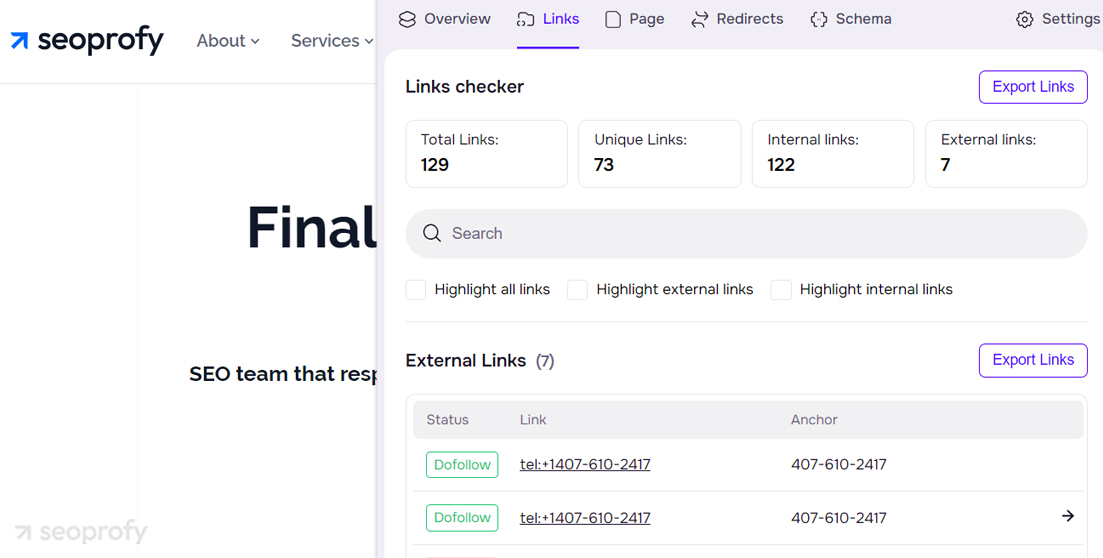
LinkChecker.pro is a free Chrome extension from the SeoProfy team that makes everyday link audits faster and easier for SEO professionals. It brings link analysis, on-page checks, indexability signals, and redirect validation into one interface, so there’s no need to jump between tabs or rely on extra tools.
What makes it especially useful is the way it lays out every link on a page — including link type, follow status, anchor text, and redirect path — and lets you export the data in a single click. For link builders checking placements and SEOs doing quick page-level reviews, it eliminates a lot of manual work that would otherwise require several separate tools.
Pricing: Free; paid plans at linkchecker.pro (start from $25/month)
Best for: SEOs and link builders needing fast page-level audits without leaving Chrome
Pros: It shows dofollow/nofollow status at a glance, includes a redirect checker, and lets you export all link data in one click.
Cons: Full backlink features require a paid plan, and it works on the current page only — no site-wide crawl.
Ahrefs SEO Toolbar
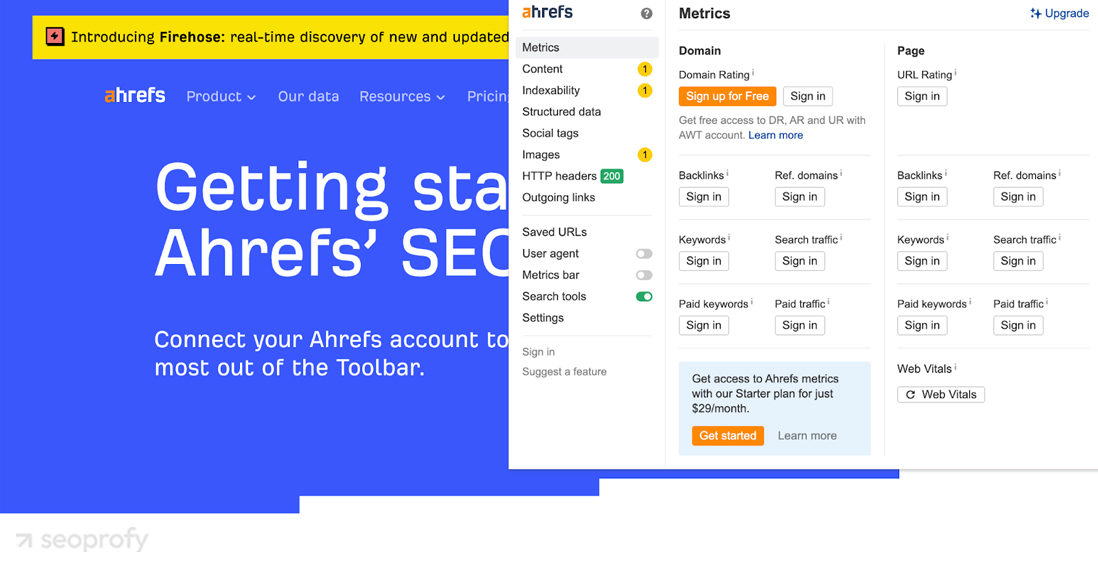
The Ahrefs SEO Toolbar is one of the best SEO extensions for Chrome, with almost 400K marketers using it for everyday research. Its free feature set includes on-page audits, redirect tracing, broken link checks, HTTP header analysis, and country or language switching for SERP research without a VPN. Ahrefs users can also access metrics like DR, UR, backlink data, keyword rankings, and estimated organic traffic directly in the browser.
Even without a paid subscription, the toolbar covers many practical SEO tasks. That said, the metrics many SEOs care most about, such as DR, traffic estimates, and keyword data, are tied to an Ahrefs account, with the broader set of browser-level metrics available to paid subscribers.
Pricing: Free; Ahrefs subscription from $129/month for full metrics
Best for: Ahrefs users who want SERP and on-page data without switching tabs
Pros: It covers on-page, technical, and link analysis in one panel; switches countries without a VPN; and the free tier is functional for daily audits.
Cons: The most valuable metrics require a paid Ahrefs plan, and each URL check consumes export row credits from your account limit.
MozBar
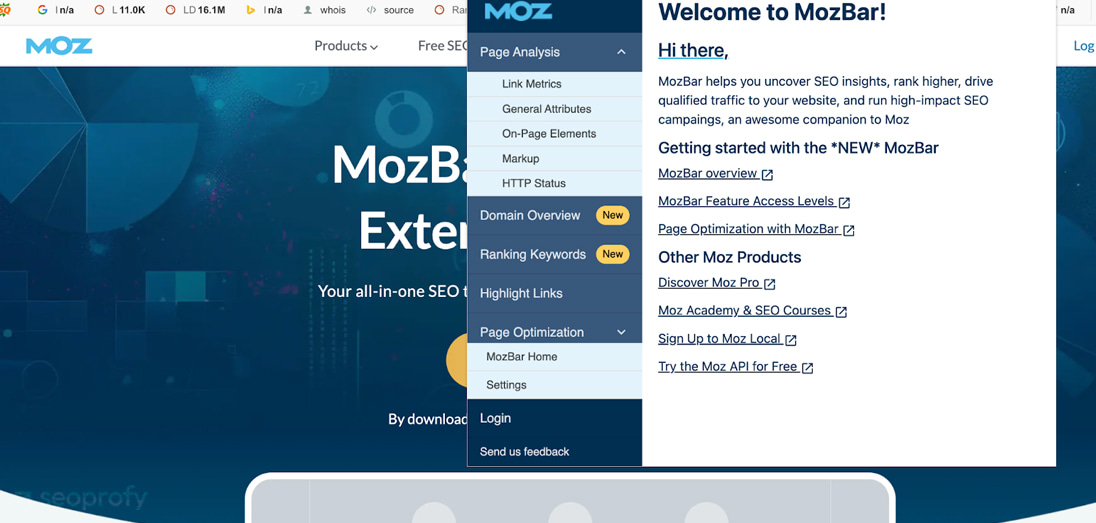
MozBar is a free SEO plugin that puts key SEO metrics like DA, PA, and link metrics right into your workflow, both in SERPs and on the pages you visit. It also lets you highlight followed, nofollowed, external, and internal links, which makes it easier to review link opportunities and compare pages without bouncing between tools.
The free version covers the essentials, including authority metrics, link highlighting, on-page elements, and SERP analysis. Moz Pro users get additional metrics and features, including access to more advanced Moz Pro data and keyword-related insights.
Pricing: Free; Moz Pro from $49/month
Best for: Quick authority checks and link-type analysis during prospecting and outreach
Pros: It shows DA and PA scores instantly in SERPs, highlights link types with no extra clicks, and the free tier is enough for most daily checks.
Cons: Advanced features like keyword difficulty and page optimization reports are locked behind a paid plan, and the extension can noticeably slow down Chrome when multiple tabs are open.
Detailed SEO Extension
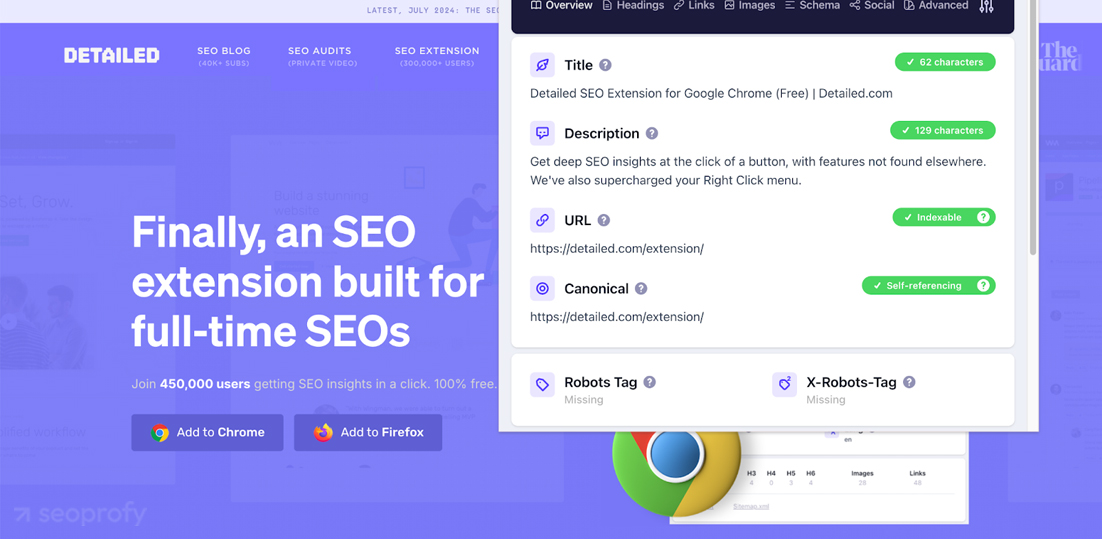
Detailed SEO Extension gives you a fast snapshot of the key on-page elements on any page, including the title tag, SEO meta description, structured data, headings, hreflang, canonical setup, and robots signals. It also adds quick links to robots.txt and XML sitemaps, which makes routine technical checks much faster.
It doesn’t include authority metrics or backlink data, but that’s not really the point. It’s a lightweight, free tool that works instantly and doesn’t require an account, which makes it especially handy for quick audits, QA checks, and client calls.
Pricing: Free
Best for: SEOs who need fast on-page diagnostics without opening a full audit tool
Pros: It covers title, meta, headings, schema, and canonicals in a single panel, requires no account, and has no performance impact on the browser.
Cons: No authority metrics, no backlink data, and the robots.txt and sitemap shortcuts can return 404s if files aren’t in standard locations.
SEOquake
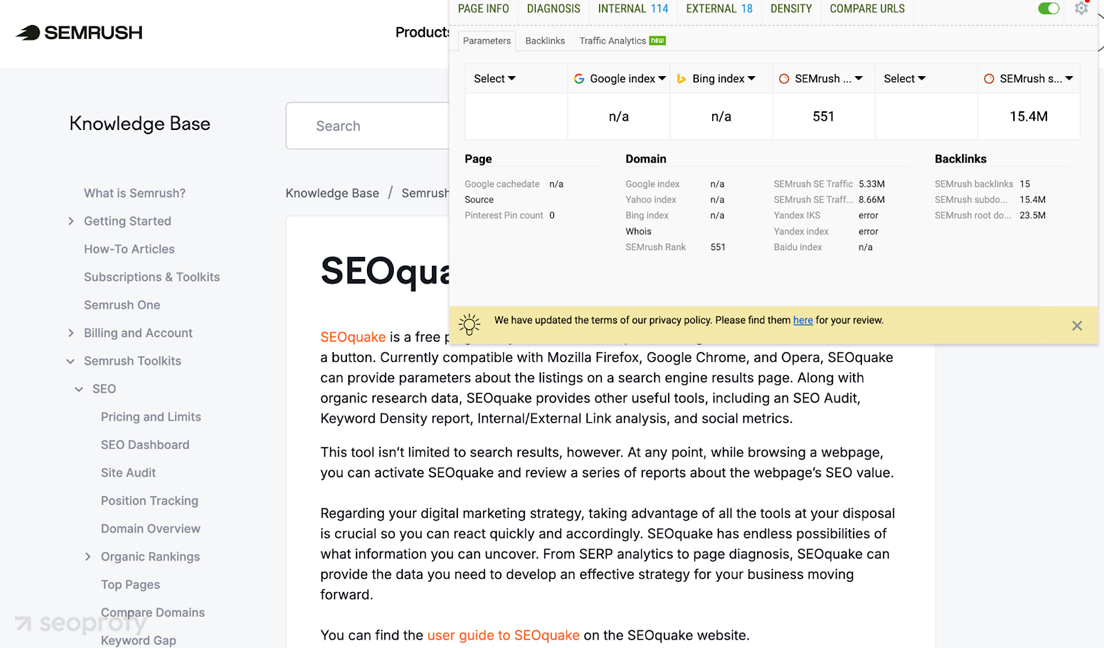
For Semrush users, SEOquake is arguably the best SEO toolbar for Chrome daily workflows. It adds key metrics to SERPs and includes built-in tools for on-page audits, keyword density analysis, and internal and external link checks, with export options for quick reporting. The core features are free and useful on their own. It may not have the cleanest interface, but for quick page diagnostics and SERP review, it still covers a lot without requiring a paid tool right away.
Pricing: Free; advanced data requires a Semrush account (plans from $139.95/month)
Best for: Quick competitor SERP analysis and on-page audits
Pros: It covers SERP overlays, on-page audits, keyword density, and link analysis in one free tool with CSV export built in.
Cons: The SERP overlay can occasionally lose data after Chrome updates and may require a reinstall to fix.
Keywords Everywhere
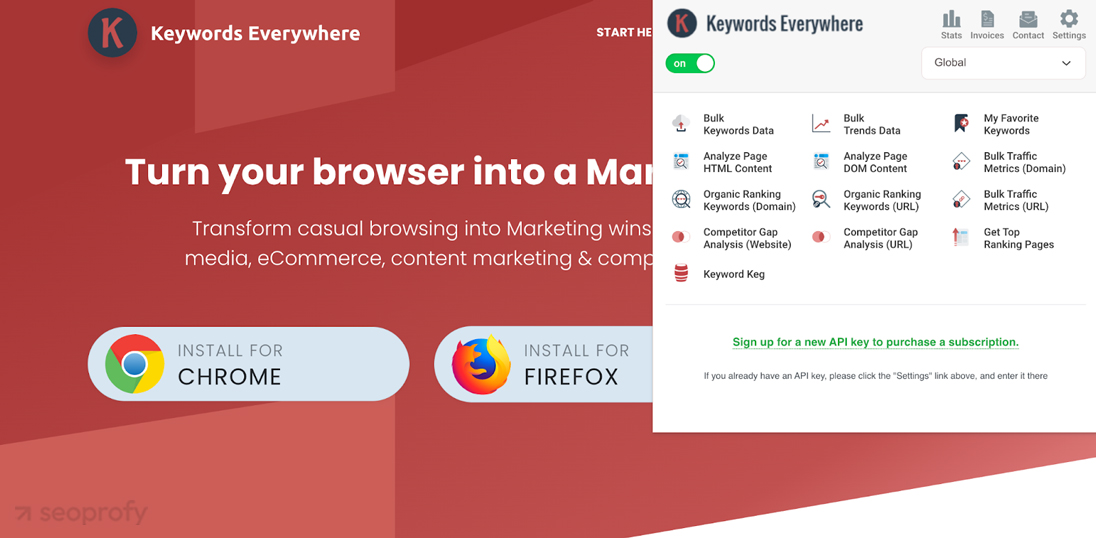
Keywords Everywhere adds search volume, CPC, and competition data directly to Google search results and works across 15+ platforms, including YouTube, Amazon, and Bing. For teams that rely on keyword research as part of their daily workflow, it’s one of the fastest browser tools available. Paid data runs on credits, while the free version is quite limited.
Pricing: Credit-based paid model; credits expire after 12 months.
Best for: Content marketers and PPC teams doing fast keyword research across multiple platforms.
Pros: It works across 15+ platforms and charges only for what you use, no monthly subscription.
Cons: The free version is limited to serious keyword research, and unused credits expire.
Keyword Surfer
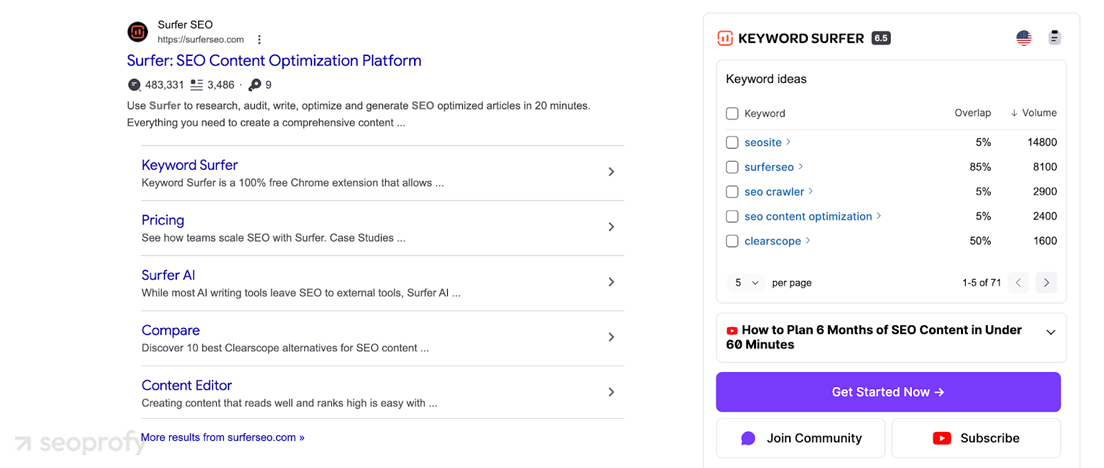
Keyword Surfer adds search volume and CPC data to Google search results, shows keyword ideas, and provides on-page insights to support content planning. It also generates keyword suggestions based on your current search query. It’s free, easy to use, and works entirely within the search engine results page.
Pricing: Free
Best for: Content writers optimizing within the SurferSEO ecosystem
Pros: It is completely free, shows competitor word counts, and has a clean SERP overlay.
Cons: The tool is Google-only; it is less accurate for low-volume keywords.
Hunter.io
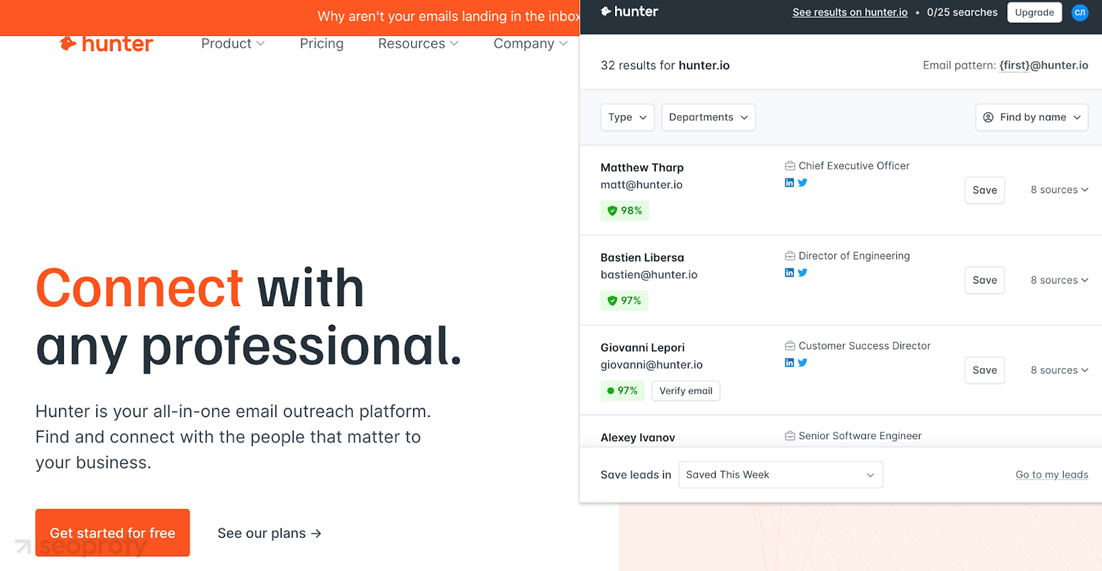
Hunter.io finds verified email addresses for any domain directly in the browser. Click the icon on any site, and it pulls all publicly available emails with confidence scores and sources. It also works on LinkedIn profiles. Used by over 3 million professionals for link building, outreach, and digital PR.
Pricing: Free (25 searches/month); paid plans from $34/month
Best for: Link prospectors and digital PR teams finding contact emails for outreach
Pros: It finds verified emails on any site in one click, works on LinkedIn, and integrates with major CRMs, including HubSpot and Salesforce.
Cons: The free plan’s limits are tight for active outreach, and it only finds professional email addresses — no personal addresses or phone numbers.
Check My Links
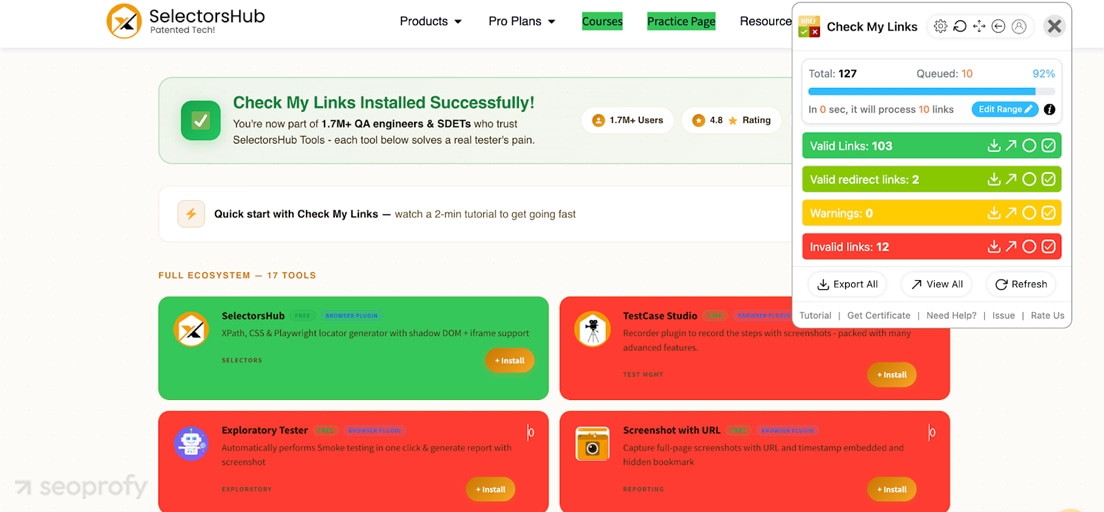
Check My Links scans every link on a web page and highlights broken ones in red and valid ones in green. One click, instant visual result. Useful for broken link checking, content auditors finding reclamation opportunities, and editors doing pre-publish QA checks.
Pricing: Free for all basic features; Advanced Features Key — $70 one-time (lifetime access)
Best for: Content auditors and link builders identifying broken link reclamation opportunities
Pros: It scans all links on a page instantly, color-codes results visually, and requires no account or setup.
Cons: Current page only, no site-wide crawl, and it occasionally flags valid links as broken due to server response issues.
Semrush AI Writer and Editor
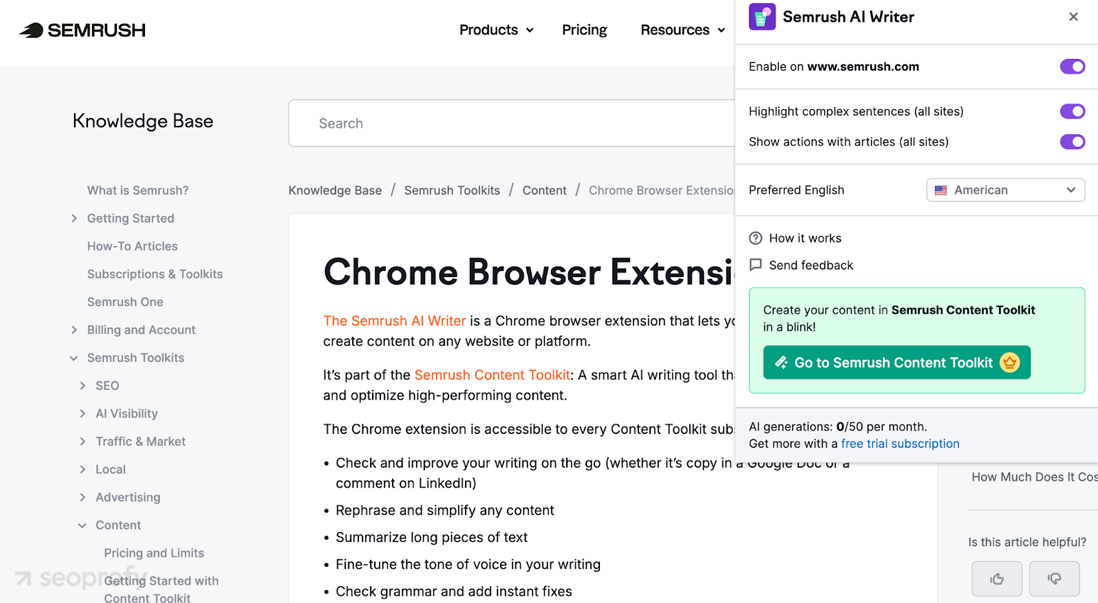
Semrush AI Writer and Editor works on any platform — Google Docs, WordPress, LinkedIn, or any website. Highlight text, click the icon, and get instant suggestions for grammar, readability, tone, and length. It also summarizes and rewrites articles with a single click.
The free tier allows 50 uses per month. Advanced features, such as full article rewriting, require a Semrush Content Toolkit subscription.
Pricing: Free (50 uses/month); full access with Semrush Content Toolkit from $60/month
Best for: Content teams editing and optimizing copy across multiple platforms
Pros: It works on any website without switching tabs and covers grammar, tone, readability, and summarization in a single panel.
Cons: The free tier is limited, and advanced rewriting features require a paid Semrush plan.
SimilarWeb
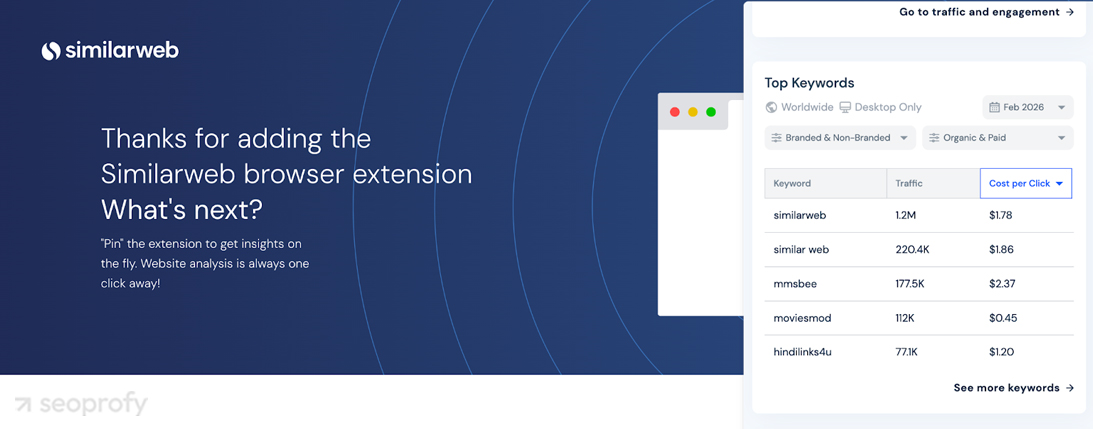
SimilarWeb shows estimated traffic, traffic sources, top keywords, bounce rate, and geographic breakdown for any site you visit — all in one click. Useful for quick competitive research and prospect qualification without opening the full platform. The free extension covers the basics well. Deeper historical data, keyword details, and audience insights require a paid SimilarWeb plan.
Pricing: Free (limited data); Pro plans available (starts at $199/month)
Best for: Competitive research and traffic estimation during prospecting
Pros: It shows traffic volume, sources, and top keywords for any site instantly, with no account required for basic data.
Cons: Free data is limited and estimated — accuracy varies for smaller sites, and detailed insights need a paid subscription.
How to Build Your SEO Chrome Extension Stack
More extensions don’t mean better results. Each active extension increases memory usage and slows down Chrome. Stick to 5–7 at most.
Choosing the Best SEO Extensions for Chrome by Role
Here’s what works for each workflow:
Beginner: Keywords Everywhere + Ahrefs SEO Toolbar + Link Checker Pro — covers keyword data, on-page checks, and link audits without overloading the browser.
Content writer: Keyword Surfer + Detailed SEO Extension + Semrush AI Writer and Editor + Link Checker Pro — everything needed for research, on-page QA, and content editing in one workflow.
Technical SEO: Ahrefs SEO Toolbar + Detailed SEO Extension + Link Checker Pro — fast technical SEO diagnostics on any page without switching tools.
Agency: Ahrefs SEO Toolbar + SEOquake + Hunter.io + SimilarWeb + Link Checker Pro — the best SEO extensions setup for teams handling audits, prospecting, and competitive research simultaneously.
Frequently Asked Questions
What Is The Best Free SEO Extension For Chrome?
Link Checker Pro, Detailed SEO Extension, and Keyword Surfer are the strongest free options in 2026. Link Checker Pro handles link audits and redirects, Detailed SEO Extension covers on-page diagnostics, and Keyword Surfer provides basic keyword data in SERPs. Among the best SEO extensions available for free, these three cover the most ground without requiring a paid subscription.
Do SEO Chrome Extensions Slow Down the Browser?
Yes, every active extension consumes memory and can slow Chrome down. The best practice is to keep 5–7 extensions active at most and disable unused ones rather than uninstalling them — this way they’re available when needed without affecting browser performance.
Can Chrome Extensions Replace Full SEO Tools Like Ahrefs or Semrush?
No, Chrome extensions cannot replace full SEO platforms. Extensions are built for quick page-level checks during active browsing. Rank tracking, deep backlink analysis, site-wide crawls, and campaign management all require a full platform. For a comprehensive SEO audit of your site, no extension covers that ground.
Drawing The Line
The best SEO Chrome extensions won’t replace a full SEO strategy, but they can significantly speed up daily workflows. The right stack handles keyword research, on-page diagnostics, link audits, and competitive checks without leaving the browser.
Start with the tools that match your role, keep the active list to fewer than 7, and build from there. Extensions give you speed — but strategy, SEO consulting, and full-platform analysis take it further.
Looking for a complete SEO audit of your site? Our team at SeoProfy can help turn browser-level insights into a full optimization strategy.

Julia Lubianytska is a Copywriting Team Lead at SeoProfy with over 7 years of experience in copywriting and editing. She works closely with copywriting teams, helping writers craft clear and thoughtful content for SaaS products, IT services, and businesses in the legal and medical fields. Julia enjoys turning complex topics into easy-to-understand, trustworthy content, focusing on structure, clarity, and consistency to ensure the content is genuinely helpful for real people, not just search engines.