


Link building software is a set of tools that help you analyze, acquire, and manage backlinks with automated processes and different data sources. The SeoProfy team has tested dozens of solutions over time to improve workflows and get more reliable data. Many of them failed to meet our evaluation criteria or broke down under real-world working conditions. The ones that delivered consistent results are included in this guide.


If you don’t want to waste time and budget on testing tools through trial and error, use this review to choose the ones that fit your needs. We’ll also explain how the best link building tools actually work and where each one fits.
- Link building software helps with backlink monitoring, prospecting, and outreach processes.
- LinkChecker.PRO is the best software for tracking link status and Google indexation.
- Ahrefs is the strongest dataset for competitor-based link research.
- Pitchbox works best for structured campaigns and high-volume outreach management.
Why the Right Link Building Software Matters
Backlinks are signals that show search engines which pages other websites choose to reference. When a website links to your page, it passes trust and context. Google uses that signal to decide which web pages deserve higher rankings.
They remain one of the top 3 search ranking factors, along with quality content and technical SEO. Pages with more backlinks pointing to them usually get higher search engine rankings. The first position in Google has, on average, about 3.8 times more backlinks than pages in positions 2–10.
If you want link building strategies to work, you need to manage them properly. This means handling three main processes:
- Monitoring: Analyzing backlinks that are already in your link profile and checking if they stay live, keep their value, and match your expectations.
- Prospecting: Finding websites that fit your niche and can publish your links. You review traffic, relevance, and page quality before outreach.
- Outreach: Contacting website owners, agreeing on placements, and tracking communications.
Each step depends on link data. You need to see which placements are live or lost, which pages contain links pointing to you, what anchor text they use, and how strong those pages are. You also need lists of relevant websites for outreach, with their traffic, topics, and contact details. The right tools can collect, update, and organize all of this information in one place.
Today, there are so many solutions that support these tasks on the market, yet their actual performance varies a lot. The SeoProfy specialists who work on securing backlinks have tested a wide range of options over the years. They understand what each tool can deliver in practice and where limitations appear during daily work.
To save your time and budget on testing, we put together a list of the top 10 link building tools based on our team’s experience and a clear evaluation approach to keep the selection grounded. LinkChecker.PRO leads the list thanks to its features for deeper monitoring and evaluation. At the same time, other tools deserve your attention for convenient outreach features, verification, and related tasks.
Quick Comparison: Best Link Building Tools at a Glance
| Tool Name | Primary Use Case | Best For | Starting Price |
| LinkChecker.PRO | Backlink monitoring + Google index verification | Agencies managing large backlink portfolios | $25/mo |
| Ahrefs | Backlink analysis + competitor research | Analyzing competitor link profiles | $129/mo |
| Semrush | All-in-one SEO + outreach workflow | Running a full link building process in one tool | $139.95/mo |
| Pitchbox | Outreach automation + campaign management | Large agencies with high outreach volume | $300/mo |
| BuzzStream | Outreach CRM + contact tracking | Building long-term outreach relationships | $49/mo |
| Respona | Prospecting + outreach in one workflow | Combining discovery, enrichment, and outreach | $100 per placement |
| Majestic | Link quality scoring (Trust Flow/Citation Flow) | Aged domain audits and link profile evaluation | $49.99/mo |
| Moz Pro | Domain Authority benchmarking + link comparison | Using DA for quick domain evaluation | $49/mo |
| Hunter.io | Email discovery + verification | Teams with prospect lists needing contacts | $0 (free plan); $49/mo (Starter) |
| BuzzSumo | Content-driven link prospecting | Building links through content strategies | $199/mo |
How We Evaluated These Tools (Methodology)
Whether you plan to outsource link building or build an in-house team, you need to understand where your SEO campaign data comes from. The best link building tools in our top list passed a clear selection process, looking at the functionality that matters for link building efforts.
Since link building campaigns consist of several key tasks, it’s helpful to look at whether the services fit the specific purposes at each stage. Here’s what we analyzed from the monitoring point of view:
- Monitoring frequency: We checked how often each tool updates backlink data in practice by tracking the same links over time and comparing how quickly changes appear across tools.
- Index verification: The team tested how tools report indexation by manually checking selected pages in Google and comparing those results with what each tool shows.
To find relevant prospects based on competitor backlinks, you need to include prospecting in your link building strategy. These aspects matter the most when selecting tools for this stage:
- Team and agency scalability: Multiple users, parallel projects, and large prospect pools quickly revealed which tools handle workload comfortably.
- Pricing transparency: Public pricing pages were reviewed first, then compared with actual limits and restrictions inside the product to see how clear and predictable costs are.
- User feedback: Our team studied reviews on platforms like G2, Capterra, and Trustpilot, then compared that feedback with our own experience to confirm where tools perform well or fall short.
Lastly, each tool on our list went through hands-on testing with sample link building outreach strategies and campaigns to assess contact handling, follow-up logic, and result tracking in practice.
The 10 Best Link Building Software Options
Let’s take a closer look at the top backlink analysis tools and how they can fit your workflow.
1. LinkChecker.PRO — Best for Backlink Monitoring and Google Index Verification
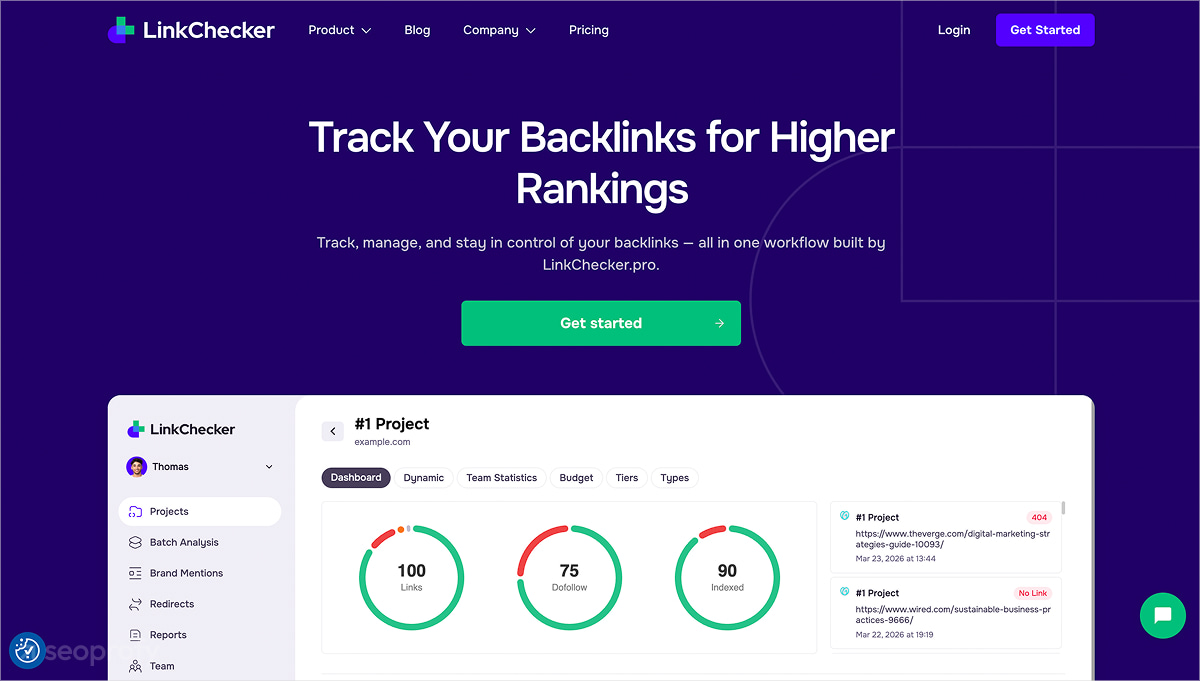
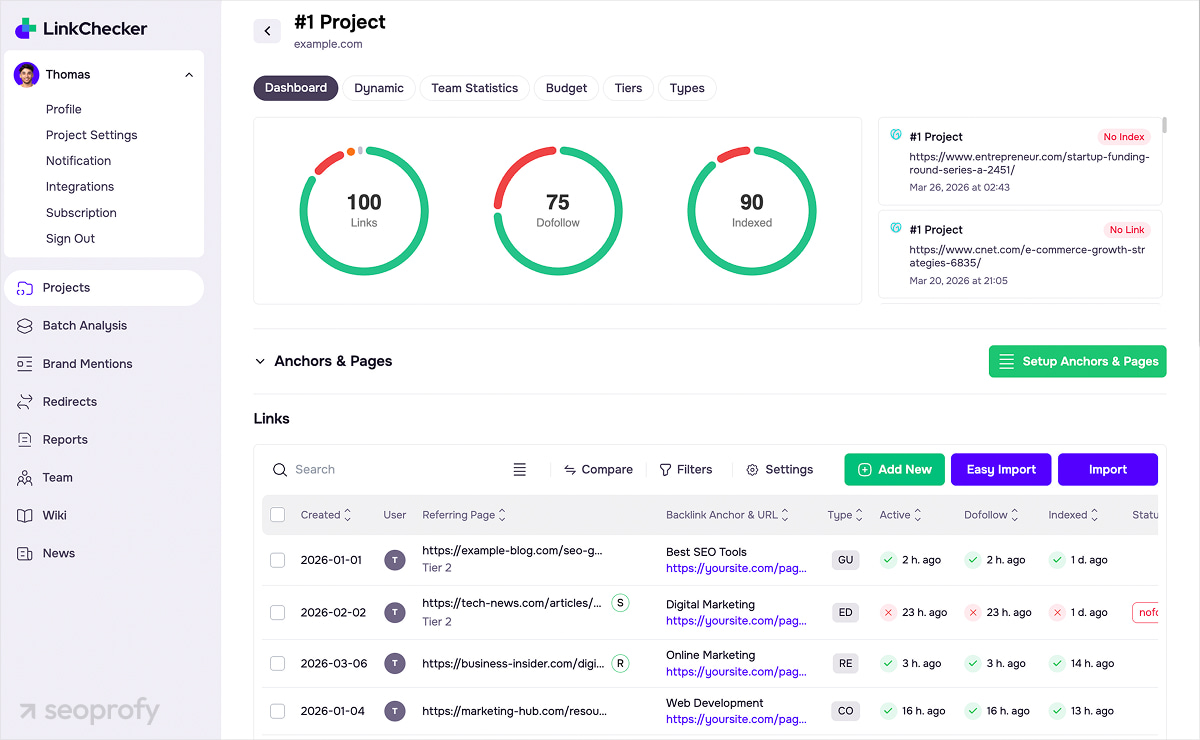
LinkChecker.PRO is the best tool for backlink analysis at a deep level, built for teams that need full control over link-level data. It helps you manage backlinks through continuous monitoring and structured data on each placement.
You can track backlinks with defined parameters and update history. The platform checks each link across key signals:
- Presence on the page
- Final destination URL after redirects
- The “rel” attribute
- Google indexation
- Page response and access restrictions
The system records every change with a timestamp. You see link removals, anchor updates, rel changes, redirect events, and indexation updates with exact timing.
Google indexation is tracked as a separate parameter. Each backlink has its own index status, so you can filter links by indexation and review them as a dedicated group. Batch analysis processes large datasets within a single workflow. You can upload lists of domains or URLs and run:
- Index checks
- Wayback history
- IP and Whois data
This backlink analysis tool supports API connections with Ahrefs, Majestic, and Moz, so you can pull additional metrics into the same dataset. Alerts notify you about any updates.
Pricing
- Lite: $25/month with up to 400 backlinks.
- Standard: $50/month with up to 1,000 backlinks.
- Pro: From $100/month; scales with higher limits for backlinks, rescans, index checks, and users.
- Annual plans reduce the monthly cost.
Best For
Agencies providing link building services and teams that manage large backlink portfolios and require continuous monitoring, indexation tracking, and batch validation in one system.
Pros
- Backlink status and indexation tracked per URL
- Full change history with timestamps
- Batch checks for domains and pages
- API integrations for external metrics
- Centralized backlink database for teams
Cons
- Lacks backlink discovery functionality
- Workflow features focused on monitoring and data management
- Indexation updates processed on scheduled check cycles
2. Ahrefs — Best for Backlink Analysis and Competitor Research
Ahrefs is one of the best link building tools for competitor analysis used by top link building companies. Its value comes from a large backlink index and frequent data refreshes. With this solution, you work with current backlink profiles across your site and competitors.
The core workflow is in Site Explorer, where you can open any domain or URL to get a full backlink profile, including referring domains, anchors, link types, and other key data. The interface may feel complex at first, but it reflects the advanced level of this analysis tool. Ahrefs also provides a free course, How to Use Ahrefs, which runs a bit over 3 hours and covers the full functionality step by step.
Inside the detailed reports, you can see the overall backlink count and segment data to analyze specific parts of the profile, such as:
- Link type
- Dofollow/nofollow
- Platform
- Language
- Traffic signals
- Broken links
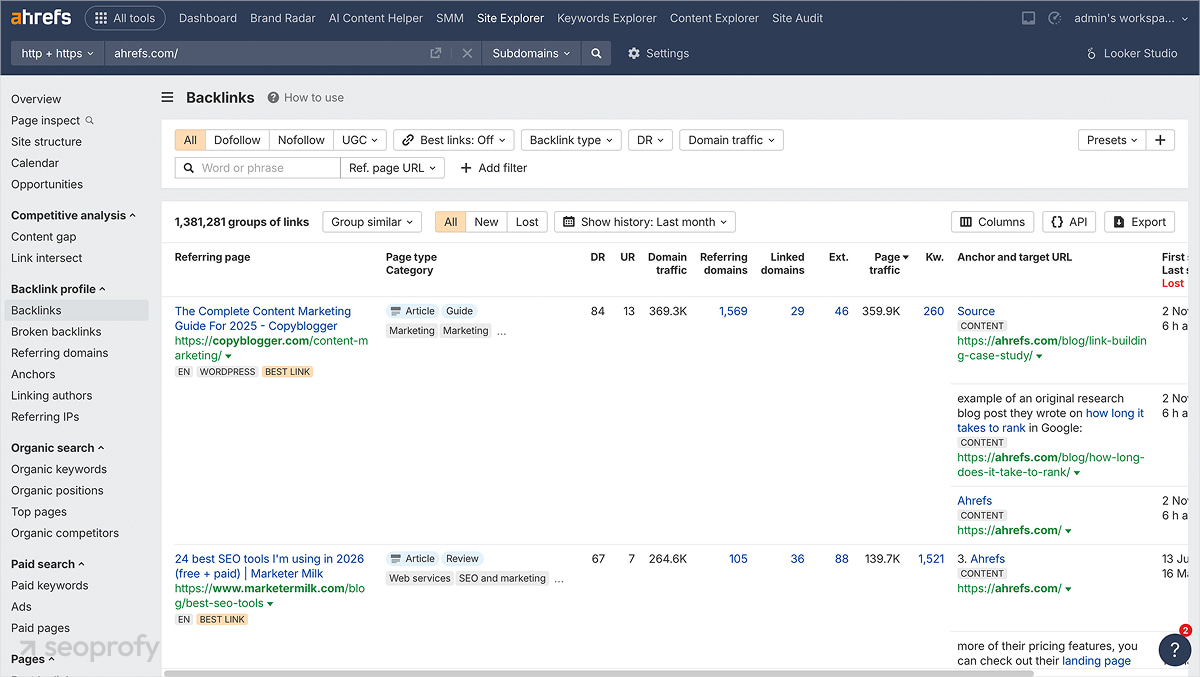
In the Overview section, you can access historical charts for any domain or page. This allows you to see how backlink profiles develop over time, track acquisition patterns, and detect shifts for both your and your competitors’ pages. This is especially useful for large-scale enterprise or ecommerce link building projects.
Link Intersect shows domains that reference competitors but not your site. Thus, you get a list of outreach targets and new link building opportunities. Content Explorer offers data on pages that already attract links, which helps identify formats and topics worth scaling to earn even more valuable backlinks.
The database covers trillions of links, and continuous crawling updates new and lost placements across domains. With this detailed backlink analysis tool, you can track competitor activity, new placements, and link velocity inside one system.
Pricing
- Lite: $129/mo with five projects, 750 tracked keywords, six months of historical data, and 100,000 crawl credits.
- Standard: $249/mo with 20 projects, 2,000 tracked keywords, two years of historical data, 500,000 crawl credits.
- Advanced: $449/mo with 50 projects, 5,000 tracked keywords, five years of historical data, 1,500,000 crawl credits.
- Annual plans reduce the monthly cost.
Best For
Teams that rely on competitor backlink data to plan large-scale link building strategies, identify link gaps, and analyze high-volume backlink profiles.
Pros
- Large backlink index with frequent updates
- Detailed segmentation of backlinks and referring domains
- Link Intersect provides direct competitor gap analysis
Cons
- Data exports limited by plan tiers
- Difficult to navigate, especially for beginners
- Advanced features only available on higher-tier pricing plans
3. Semrush — Best All-in-One Platform with Built-In Outreach
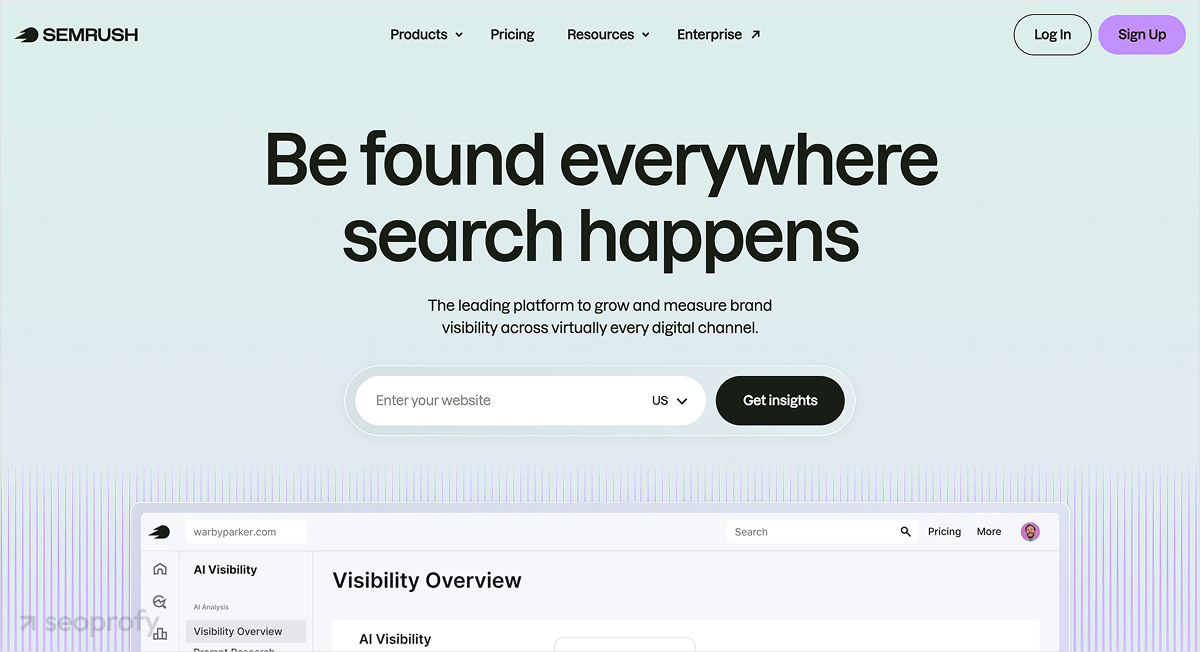
Semrush combines backlink analysis, prospecting, and outreach in one workflow, which is good for overall link building efforts. You can move from analysis to execution without switching tools.
Backlink Analytics provides a full breakdown of a backlink profile: referring domains, anchor text, new and lost links, and authority metrics. You open any domain and immediately see which sites link to it, how the profile changes over time, and where new placements appear. Additionally, in Site Audit you get data on internal link distribution, issues, depth, and overall structure.
In the Backlink Gap tool, you can compare your own site with competitors and see domains with links pointing to them. This allows you to discover a ready-to-use list of link opportunities without manual research.
The Link Building Tool is where prospect work happens. You upload keywords or domains, and the system builds a list of potential websites. On this outreach platform, each domain moves through a pipeline with defined statuses:
- In progress (added to workflow)
- To contact (ready for outreach)
- Contacted (email sent)
- Replied (response received)
- Acquired (backlink secured)
For each prospect, you see email, domain, authority metrics, and notes. Emails are sent directly from the interface, and the full communication history stays inside the project. This allows you to manage outreach without spreadsheets or external email tools, although many link builders still prefer that setup.
Backlink Audit focuses on link quality. This platform assigns a Toxic Score to each backlink, groups suspicious links, and generates a disavow list. This list still requires manual review before submission.
Pricing
- Pro: $139.95/mo with up to five websites, core SEO tools, backlink analysis, audits, and tracking.
- Guru: $249.95/mo with up to 15 websites, historical data, extended limits, and content tools.
- Business: $499.95/mo with up to 40 websites, API access, extended limits, and Share of Voice.
- Annual plans reduce the monthly cost.
Best For
Teams that want to run the full process from backlink analysis to link acquisition inside one system.
Pros
- Backlink analysis, prospecting, and outreach in one workflow
- Clear pipeline for managing prospects
- Backlink Gap provides ready outreach targets
Cons
- Setup requires time to configure the workflow
- The interface can feel overloaded with modules
- Outreach still involves manual work with prospects
4. Pitchbox — Best for Enterprise-Level Outreach Automation
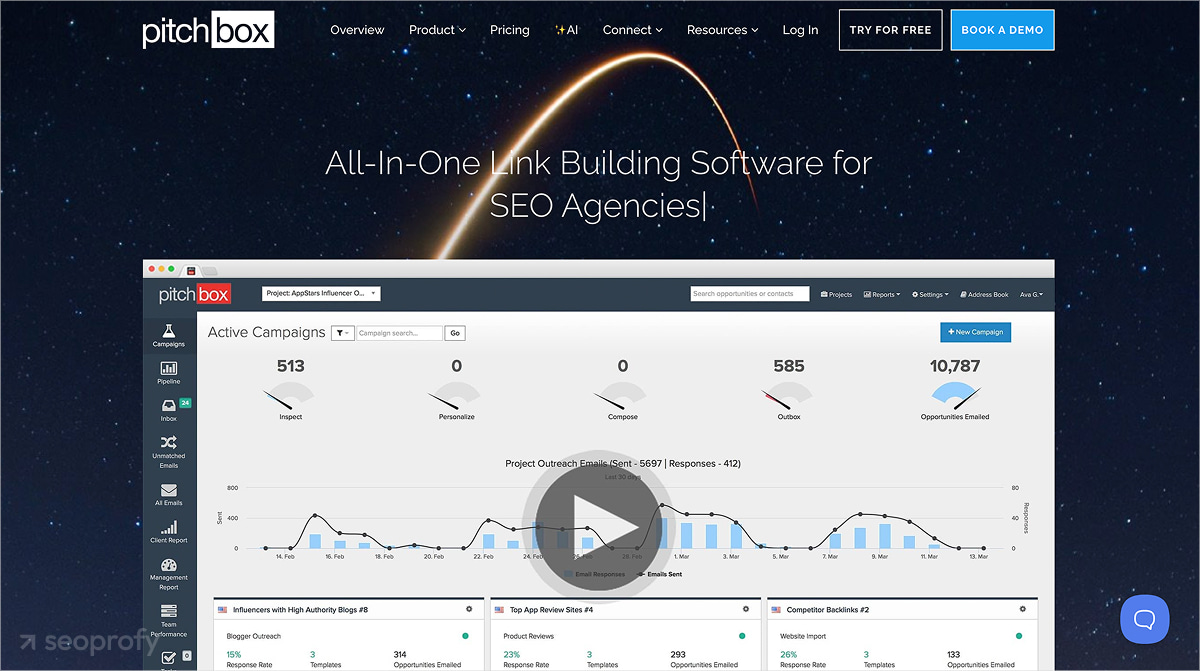
Pitchbox is one of the strongest link building tools for SEO when it comes to outreach execution at scale. The platform structures data around link building campaigns that can include prospecting, qualification, outreach, and follow-ups.
Users start with prospect collection. The system pulls a list of backlink opportunities based on keyword research, publishers, or imported lists. You get all the outreach data upfront since each prospect comes with contact data, site metrics, and relevance signals — everything needed to properly review and approve targets. Pitchbox also includes integrations with Ahrefs, Moz, Semrush, and Majestic, so you can pull authority metrics directly into prospect lists.
Outreach runs through customizable sequences. You can define the following settings:
- Email templates
- Follow-ups
- Timing
- Conditions
Pitchbox also includes a built-in CRM, so all conversations, notes, and deal status stay attached to each prospect. White-label reporting also includes a solid amount of data on outreach activity and placements.
Pricing
- Pro: $300/mo with two users, two email accounts, 2,000 outreach emails, one workspace, 25 campaigns per month, 1,000 prospecting searches per month, 50,000 contacts, 600,000 data credits per year.
- Advanced: $600/mo with unlimited users, six email accounts, 5,000 outreach emails, 25 workspaces, 1,000 new campaigns per month, 5,000 prospecting searches per month, 200,000 contacts, unlimited data credits.
- Scale: $1,200/mo with 20 email accounts, 25,000 outreach emails, unlimited workspaces, campaigns, prospecting searches, contacts, data credits.
- Annual plans reduce the monthly cost.
Best For
Large agencies and in-house teams that run high-volume outreach campaigns and need automation.
Pros
- Built-in CRM for managing prospects and communication
- Integrations with major SEO tools for data enrichment
- White-label reporting for client delivery
Cons
- Setup requires detailed campaign configuration
- Pricing suited to large teams and higher budgets
- Focused more on outreach than backlink analysis
5. BuzzStream — Best for Outreach CRM and Relationship Management
The main use of BuzzStream is contact-level tracking. This means the main unit is not a campaign or link, but a person or website you interact with. The system builds a contact database that grows over time and keeps all interaction history attached to each entry.
Users collect prospects while browsing or importing lists. BuzzStream captures contact details, site data, and social profiles, so each contact record already includes basic context before outreach. The team can return to any contact later and continue communication with full context.
Outreach runs through email templates and follow-ups. The system tracks open rates, reply rates, and placements, so you can analyze both activity and performance.
Pricing
- Starter: $49/mo with one user, 500 contacts.
- Growth: $174/mo with three users, 25,000 contacts.
- Professional: $424/mo with six users, 100,000 contacts.
- Custom: from $999/mo with 15+ users, 300,000+ contacts.
Best For
Teams that build long-term outreach relationships and need structured contact tracking.
Pros
- Contact-centered workflow with full interaction history
- Clear visibility of relationship status over time
Cons
- The contact database requires ongoing maintenance
- Advanced reporting available on higher plans only
6. Respona — Best for Automated Prospecting + Outreach in One Platform
Among similar link building tools for SEO, Respona stands out through the way it connects prospect discovery with outreach execution inside the same campaign flow. You start from the built-in search engine, which works like Google within the tool, or import your own list and enrich it directly.
Respona’s contact automation gives access to data for more than 450 million professionals. The outreach layer offers automated drip sequences and follow-ups. One of the newest features is AI-based personalization through article-summary snippets and social profile context.
Respona offers pre-built workflows for the skyscraper technique, guest posts, podcast outreach, resource pages, unlinked mentions, listicles, and journalist outreach. Thus, the tool is more operational than generic email software, since each workflow already matches common link building and digital PR use cases.
Pricing
- Starter: $100 per placement for DR 20+ sites with 100–5K traffic.
- Standard: $160 per placement for DR 30+ sites with 100–10K traffic.
- Authority: $240 per placement for DR 40+ sites with 500–20K traffic.
- Power: $400 per placement for DR 50+ sites with 1K–30K traffic.
- Elite: $500 per placement for DR 60+ sites with 1K–100K traffic.
- Optional add-ons include faster turnaround, domain approvals, and content format requirements.
Best For
Teams that want prospecting, enrichment, personalization, and outreach in one workflow.
Pros
- Built-in search with list import and enrichment
- AI personalization assistant for faster pitch drafting
- Optional add-ons for different needs
Cons
- Pricing based on placements instead of subscription seats
- Higher-authority placements increase cost
7. Majestic — Best for Trust Flow and Citation Flow Analysis
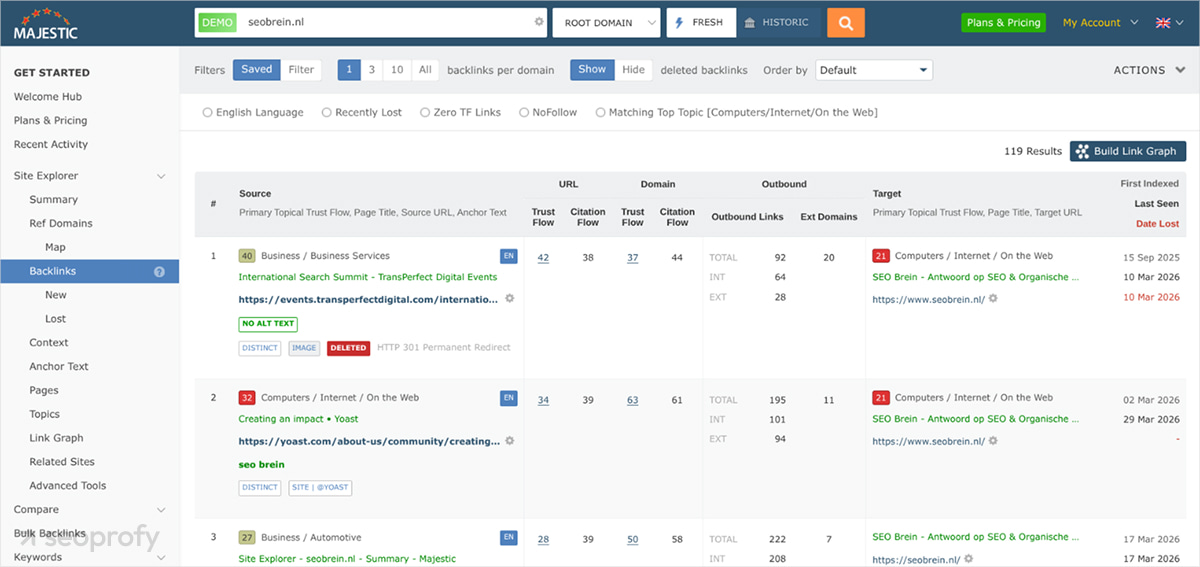
Majestic is built for backlink analysis at the quality-scoring layer. It uses two main metrics: Trust Flow, which reflects link quality, and Citation Flow, which shows the number of backlinks. Together, they show how strong and clean a site’s backlink profile is.
Majestic fits best where you need to evaluate domains before using them. Its Historic Index goes back many years, so you can see how links were built over time, where spikes happened, and whether the profile relies on old link bursts.
Inside backlink reports, you get full lists of referring domains, anchor text, and link distribution. Sorting by Trust Flow helps isolate links that carry weight.
Link Context reveals the exact placement of a backlink on the page, including surrounding text. The Link Graph visualizes how backlinks are distributed across referring domains.
Pricing
- Lite: $49.99/mo with one user, 1 million analysis units, Fresh Index, Site Explorer, Link Graph, Link Context, Trust Flow, referring domains, and IP data.
- Pro: $99.99/mo with one user, 20 million analysis units, everything in Lite + Historic Index, raw data exports, custom reports, backlink history, and comparison tools.
- API: $399.99/mo with five users, 100 million analysis units, full API access, custom data usage, and integration capabilities.
Best For
Aged domain audits, backlink quality scoring, and evaluating link profiles before using or buying domains.
Pros
- Clear view of link quality vs. volume through Flow metrics
- Long historical data for backlink analysis
- Placement-level view through Link Context
Cons
- Metrics require interpretation
- Limited features outside link analysis
8. Moz Pro — Best for Domain Authority Benchmarking and Link Intersect

Moz Pro is an all-in-one SEO platform with extensive link building features. The main tool it offers is Moz Link Explorer. It allows you to analyze any domain using Domain Authority (DA). This is a score from 0 to 100 that helps you quickly compare domains without going deep into raw backlink data. Inside the same report, you can also see referring domains, anchor text, top linked pages, and backlink profile dynamics over time.
The Link Intersect feature allows you to compare your domain with up to nine competitors. Moz also offers a Spam Score, so you can immediately see potentially risky domains and review them before using them.
Pricing
- Starter: $49/mo with one user, one tracked site, 50 keywords.
- Standard: $99/mo with one user, three sites, 300 keywords.
- Medium: $179/mo with two users, 10 sites, 1,500 keywords.
- Large: $299/mo with three users, 25 sites, 3,000 keywords.
Best For
Teams that use domain authority for quick domain comparison and need competitor-based link prospecting.
Pros
- Domain Authority for fast comparison
- Link Intersect for competitor-based prospecting
- Spam Score for identifying risky domains
Cons
- Domain Authority is a relative metric
- Smaller backlink database compared to other tools
- Limited advanced backlink analysis features
9. Hunter.io — Best for Email Discovery at Scale
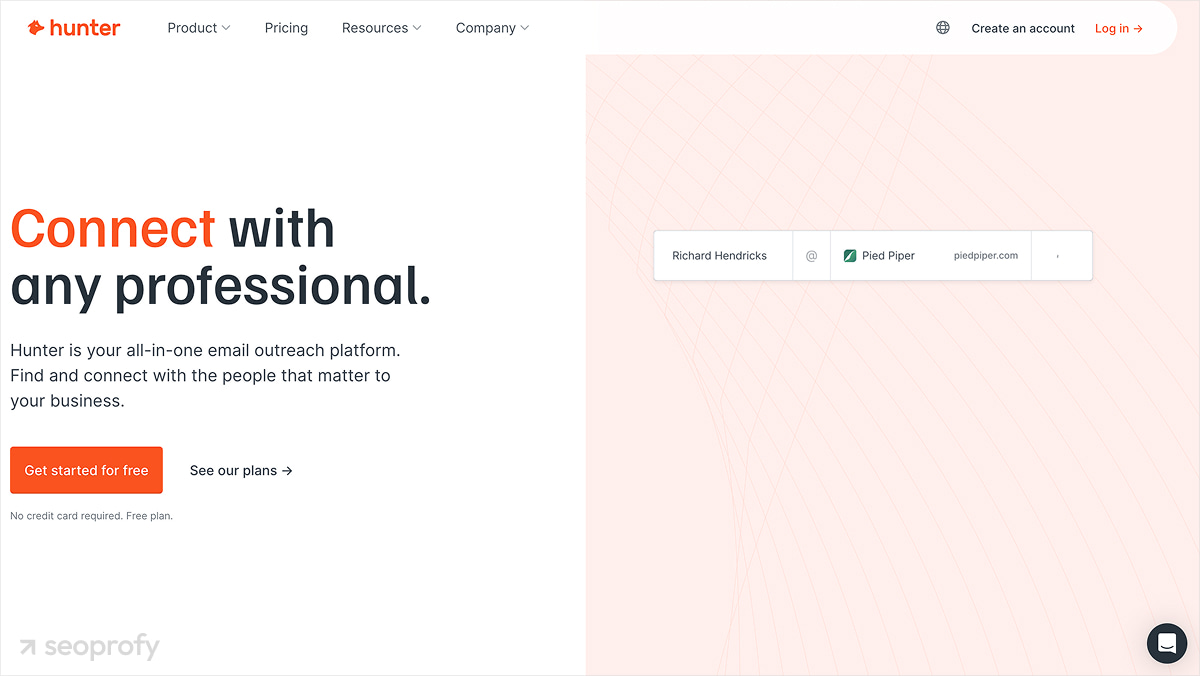
Hunter.io is a tool for finding and verifying email addresses associated with domains to build outreach contact lists. The main workflow starts with Domain Search. You enter a domain and get a list of email addresses associated with that site. The tool also shows sources where those emails were found and a confidence score.
If you already have a list of domains, you upload it and run a bulk search. The system returns site owners’ emails for each domain.
Another useful feature is Email Verifier. You run emails through it to check deliverability. It shows whether an email is valid, risky, or invalid based on the server response. There is also an email pattern detection layer. When direct emails are missing, Hunter suggests formats like firstname@domain.com based on known patterns.
The tool also works through browser extensions. You can open a website and see available emails directly on the page.
Pricing
- Free: $0/mo with 50 credits.
- Starter: $49/mo with 2,000 credits.
- Growth: $149/mo with 10,000 credits.
- Scale: $299/mo with 25,000 credits.
- Enterprise: Custom pricing with higher limits.
Best For
Teams that already have prospect lists and need accurate email contacts for outreach.
Pros
- Fast domain-based email discovery
- Bulk search for large prospect lists
- Built-in email verification
- Free searches in addition to paid plans
Cons
- No backlink or SEO analysis features
- Accuracy depends on publicly available data
- Requires external tools for the full outreach process
10. BuzzSumo — Best for Content-Led Link Prospecting
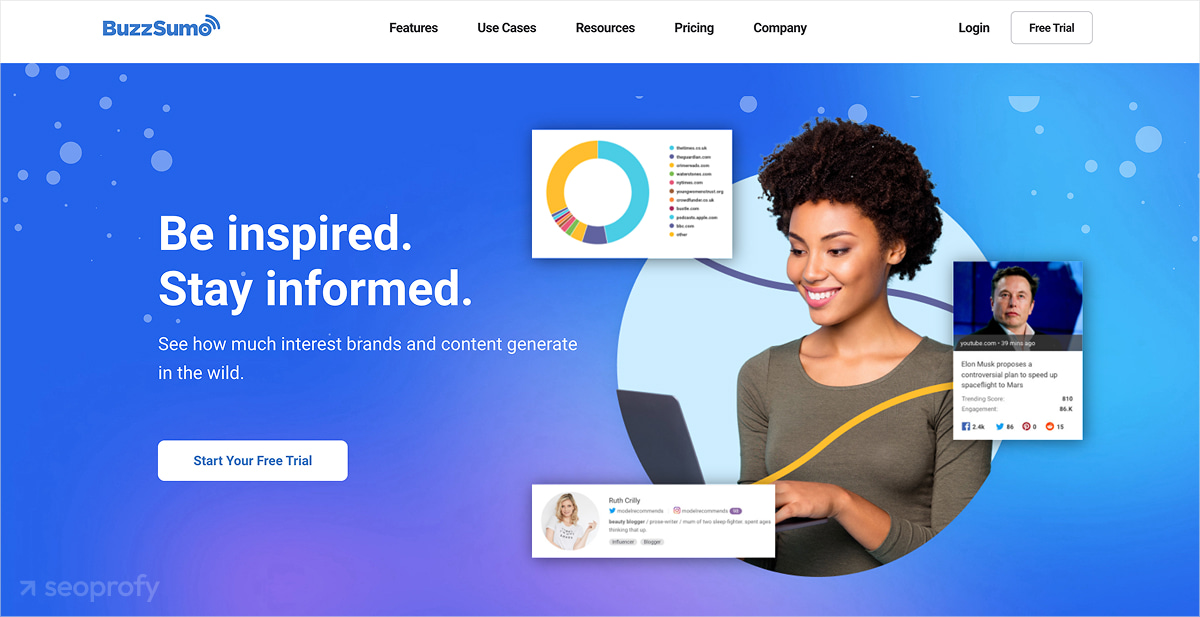
BuzzSumo is a powerful SEO tool that provides data on which content earns links and why. You can run a topic, keyword, or domain through Content Analyzer and get pages ranked by backlinks and engagement. That data allows you to identify the following:
- Сontent formats that attract links (guides, studies, lists)
- Topics that work for linkable assets
- How many links are pointing to this type of content
This tool has a user-friendly interface: each result shows who linked to or shared the content. Your team can extract domains and authors directly. It also tracks unlinked brand mentions for quick link opportunities.
Pricing
- Content Creation: $199/mo with one user, unlimited searches.
- PR & Comms: $299/mo with five users.
- Suite: $499/mo with 10 users.
- Enterprise: $999/mo with 30 users.
Best For
Teams that rely on content as part of their link building strategy and need data on what already works.
Pros
- Shows content that already earns backlinks
- Converts analysis into outreach targets
- Tracks unlinked mentions
Cons
- No built-in link building outreach workflow
- Focus limited to content-driven link building
Frequently Asked Questions About Link Building Software
What Is the Best Free Link Building Tool?
If you’re looking for free tools for link building, these are the best options:
- Ahrefs Webmaster Tools works for verified sites and gives limited backlink data for your own domain.
- Semrush allows one project with strict caps on data and reports.
- Hunter.io gives 25 searches per month, which fits small prospect lists.
These services can support some testing and small parts of the workflow. However, if you need a thorough analysis or automated outreach, the best link building tools for SEO are worth the investment.
Do I Need Separate Tools for Outreach and Monitoring?
Yes, you may need separate tools if you want control over the full process. Outreach tools work with prospects and communication. They help you find contacts, send emails, and manage replies. Monitoring tools show what happens to each backlink after placement. Many teams prefer to split these tools to keep outreach and monitoring fully controlled.
All-in-one platforms like Semrush or Respona cover both parts, but this convenience often comes at the cost of reduced functionality for specific tasks. Specialized tools go deeper. Pitchbox structures outreach campaigns and pipelines, while LinkChecker.PRO tracks link status, changes, and indexation.
How Do You Know If Your Backlinks Are Actually Indexed by Google?
A backlink only works if the page hosting it is in Google’s index. When a page drops out of the index, Google does not process it, so the link passes zero value and stays invisible to the algorithm.
Standard checks focus on whether the page returns HTTP 200 and whether the link is present. This confirms the link exists, but does not show whether Google includes that page in its index. Proper backlink tracking checks if the linking page appears in Google’s index regularly, for example, every few days, and updates that status over time.
LinkChecker.PRO handles indexation tracking correctly. Its anchor plan includes only links from indexed pages, so you see the part of your website’s backlink profile that actually counts and supports the SEO strategy.
Choosing the Right Link Building Software for Your Team
Link building solutions cover different parts of the process, so the choice depends on what your team needs most right now. Some platforms (Ahrefs, Majestic, Moz Pro) can be good for overall SEO efforts and focus on analyzing domains and competitors before placement.
Others (Pitchbox, BuzzStream, Respona, Hunter.io) support link building outreach efforts and communication for more backlink opportunities. If your main focus is checking placements after they go live, LinkChecker.PRO is the best backlink analysis tool.
Agencies usually combine platforms. This setup gives more control at each stage.
If you want to skip tool setup and get a working system, check out our link building services. SeoProfy runs link building with a data-driven approach, clear processes, and full transparency.

Bohdan has been an SEO analyst at SeoProfy for more than two years. He began his career in digital marketing in 2019 and has since gained experience helping scale some of the world’s leading brands in industries such as gambling and SaaS. Bohdan specializes in developing effective strategies tailored to specific regions.